Category: Uncategorized

  • Master Decision Trees in Machine Learning: Understand Random and Boosted Trees

    Master Decision Trees in Machine Learning: Understand Random and Boosted Trees

    Introduction

    Decision trees are a powerful technique in machine learning, commonly used for both classification and regression tasks. These tree-like models split data into smaller groups based on decision rules, ultimately helping to make predictions. While they offer simplicity and interpretability, decision trees can face challenges like overfitting, especially when not properly pruned. However, their foundations lead to more advanced models like random forests and boosted trees, which enhance performance and stability. In this article, we’ll dive into the mechanics of decision trees, explore how random forests and boosted trees work, and discuss their real-world applications in machine learning.

    What is Decision Trees?

    A decision tree is a tool in machine learning that helps make decisions by splitting data into smaller groups based on certain rules. It works by asking questions about the data and branching out to possible answers, eventually leading to a final decision or prediction. Decision trees are used in many applications like detecting fraud, diagnosing diseases, and predicting outcomes based on data.

    What are Decision Trees?

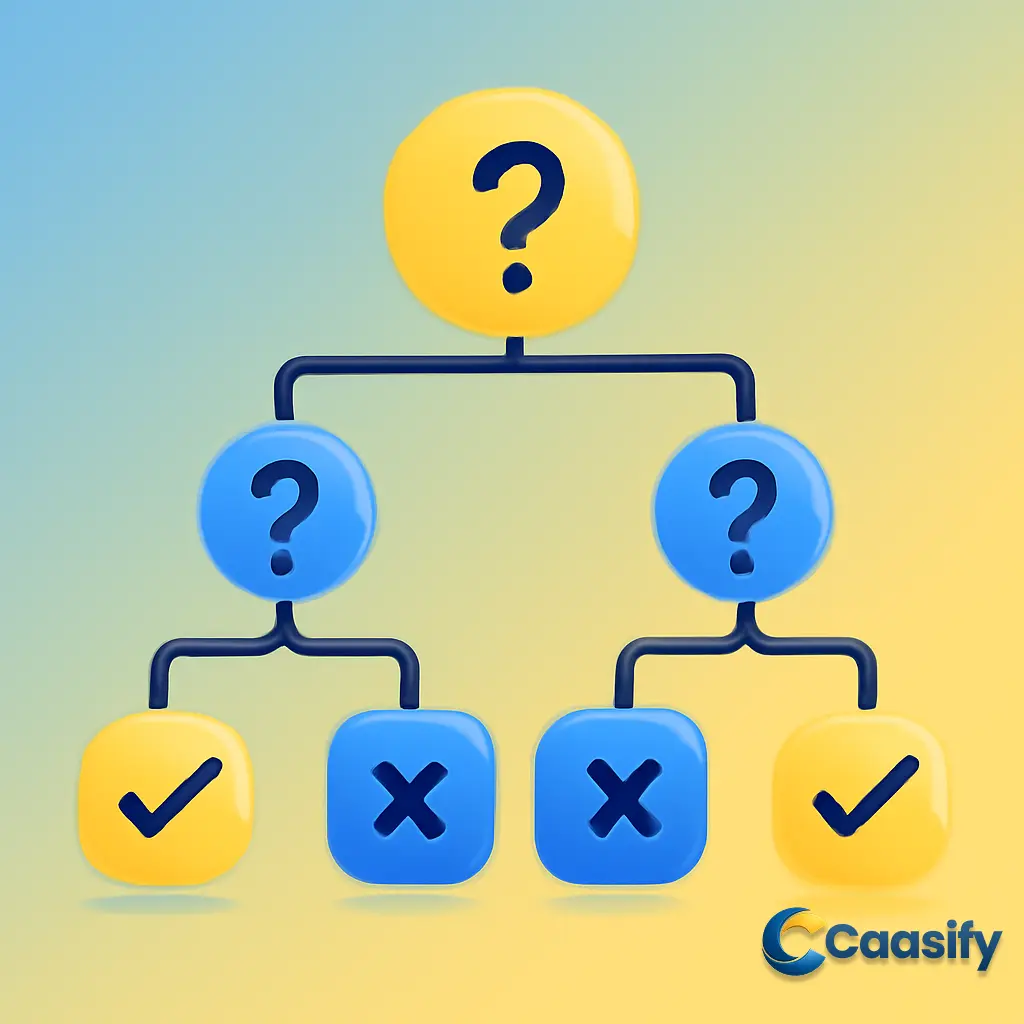
    Imagine you’re standing at a crossroads, trying to make a decision. Each path represents a different outcome, and every choice you make gets you one step closer to where you need to go. That’s pretty much how a decision tree works in machine learning. It’s a model that uses a tree-like structure to break down tough decisions into smaller, more manageable pieces. Think of it like trying to figure out if an email is spam or not, or figuring out the price of a house based on things like its size, location, and number of rooms. The process involves asking a bunch of yes-or-no questions based on certain rules to guide the algorithm toward an answer. Simple, right?

    Let’s break down the tree’s basic parts, one step at a time.

    Root Node:

    This is like the starting point of the decision-making process. The root node represents the entire dataset, and it’s where the first split happens. It’s where all the data gets gathered before it’s split into smaller parts based on certain features or characteristics.

    Internal Nodes:

    These are the decision points along the way. At each internal node, the algorithm asks a question about the data. For example, it might ask, “Is the person’s age over 30?” The answer (yes or no) decides which path the data will take, either leading it to another internal node or to the final leaf node.

    Branches:

    These are the paths that connect the nodes. Each branch represents one possible outcome from the question asked at an internal node. For example, if the answer to the age question is “Yes,” the data goes down one path; if it’s “No,” it goes down another. Each branch acts like a guide, steering the algorithm toward its final decision.

    Leaf Nodes:

    This is where everything comes together. Leaf nodes are the end of the line—no more decisions to make here. At this point, you get the final answer, whether that’s a classification or a prediction. For example, in an email decision tree, the leaf node might say “Spam” or “Not Spam.” In a house price model, the leaf node might give the predicted price based on everything the tree has processed.

    By repeating this process of splitting the data at each internal node based on certain rules, the decision tree gradually narrows down the options and leads to a final prediction or classification. The beauty of decision trees lies in their simplicity—they make it easy for both machines and humans to make informed, data-driven decisions. Whether you’re predicting house prices or figuring out if an email is spam, decision trees are a powerful and easy-to-understand tool in machine learning.

    For a deeper dive, you can read more about decision trees in this A Comprehensive Guide to Decision Trees.

    Why Decision Trees?

    Imagine you’re standing at a crossroads, trying to make a decision. Each path you take leads to a different outcome, and every step brings you closer to your final choice. That’s pretty much how decision trees work in machine learning. They’re part of a family of algorithms that help with classification and regression tasks—basically, tasks where you figure out what category something belongs to, or predict a value based on input data. What makes them great is their ability to break down complex data into smaller, more manageable pieces, and they’re surprisingly easy to understand too.

    One of the main strengths of decision trees (and other tree-based models) is that they don’t make any assumptions about the data they’re working with. Unlike models like linear regression, which require the data to follow a specific pattern or shape, decision trees are non-parametric. This means they don’t expect the data to behave in a fixed way. This flexibility makes them adaptable to all kinds of data patterns—something simpler models often miss. Sure, those simpler models might be faster and easier to understand, but they can’t handle the complexity and detail that decision trees can.

    Let’s look at how decision trees fit into supervised learning. In supervised learning, we train models using labeled data. This means that for each piece of input data (like the features you use to make a prediction), we already know what the correct output is (the correct label or value). The goal is to let the model figure out the relationship between the input and the output, so it can make accurate predictions when it’s given new, unseen data. As it learns, the model checks its predictions against the correct answers, making adjustments to its decision-making process over time.

    Picture a decision tree like an upside-down tree, with the root node at the top. The root is the first decision point and represents the entire dataset. From there, the tree branches out into internal nodes, each one asking a specific question about the data. Imagine you’re trying to figure out if someone exercises regularly—if the answer is “yes,” you go one way; if it’s “no,” you go another. This branching continues until you reach the leaf nodes, the end of the tree, where all the decisions made along the way lead to the final outcome.

    For example, a leaf node might be where the tree decides whether an email is spam or not, based on all the prior questions about the email’s content. Or it could be a decision about the predicted price of a house, based on factors like size, location, and age. The key here is that, as you go deeper into the tree, each decision point gets you closer to the final prediction.

    Before we dive deeper into the different types of decision trees and their real-world uses, it’s important to see how this structure works. It’s simple, intuitive, and really effective for making data-driven decisions. Decision trees are great when the relationships between features and outcomes are complex and non-linear—giving you both clarity and predictive power.

    Decision trees are an essential tool for breaking down complex data and making predictions based on patterns that are not immediately obvious.Decision Tree Overview

    Types of Decision Trees

    Imagine you’re solving a puzzle, but the pieces come in two types: categories and numbers. Depending on the type of puzzle, you’ll need different strategies to solve it. This is similar to how decision trees work in machine learning. There are two main types of decision trees, each suited for different kinds of puzzles: Categorical Variable Decision Trees and Continuous Variable Decision Trees.

    Categorical Variable Decision Trees

    Think of a Categorical Variable Decision Tree as the model you’d use when you’re trying to sort things into distinct categories. It’s like being a detective, trying to figure out whether a computer’s price falls into the “low,” “medium,” or “high” range based on certain clues. The decision tree doesn’t just guess—it works by asking a series of questions, each about a different feature of the computer. For example, it might ask, “Does it have 8GB of RAM?” or “Is the screen 15 inches?” As the tree moves down the branches, it keeps narrowing things down until it reaches the leaf node, where it decides if the computer fits into the “low,” “medium,” or “high” price range.

    For example, imagine a computer with 8GB of RAM, an SSD, and a 13-inch screen. The decision tree will first ask if the RAM is over 8GB. If yes, it goes one way; if no, it goes another way. Eventually, based on how the tree splits, it decides whether the computer falls into the “low,” “medium,” or “high” category for price.

    Continuous Variable Decision Trees

    Now, let’s talk about Continuous Variable Decision Trees. This one’s more like trying to predict something specific, like how much a house will cost based on its features. Instead of sorting things into categories, this tree works with numbers. You might be inputting data like the number of bedrooms, the size of the house, or its location. The decision tree doesn’t just ask if a house is big or small—it predicts the actual price, like $250,000 or $500,000, based on its features.

    For example, let’s say you want to predict the price of a house. The decision tree will first ask if the house has more than 3 bedrooms, then if the square footage is above a certain number, and so on. With each question, it splits the data into smaller and smaller chunks. By the time it gets to the leaf node, it gives you a precise number—the predicted price of the house based on all the features you fed it.

    In Summary

    So, when you’re choosing which decision tree to use, think of it like picking the right tool for the job. If you need to classify things into categories—like sorting computers into “low,” “medium,” or “high” prices—a Categorical Variable Decision Tree is your best bet. But if you’re looking to predict a specific number, like the price of a house or the temperature on a given day, then you’ll want to go with a Continuous Variable Decision Tree. Either way, decision trees provide an intuitive and powerful way to make decisions based on data.

    For further reading, you can check out the Decision Tree Overview.

    Key Terminology

    Picture this: you’re at the very start of a decision-making journey, looking at a giant tree all about choices. The first branch you come across? That’s the root node. It’s where everything begins. At this root node, you put all your data in and start the decision-making process. It represents the entire dataset, and from there, things start to break apart into smaller paths.

    Now, this is where the magic happens: the data starts splitting. Imagine you’ve got a puzzle in front of you, and you need to figure out how to break it down into smaller pieces. That’s what happens at every internal node in a decision tree. You ask a question, something simple like, “Is the age greater than 30?” If the answer is yes, you go one way; if no, you go another. Each answer leads you along a different path, leading to more and more refined decisions.

    But here’s the thing—eventually, you reach the end of the path, where no more decisions need to be made. That’s what we call the leaf node, or terminal node. These are the final stops where everything comes together, and you get your answer. In a classification tree, the leaf node might say, “This email is spam!” or “This email is not spam.” In a regression tree, it could give you something more precise, like the predicted price of a house.

    And then there are the branches or sub-trees. You can think of these as pathways or offshoots that stretch from an internal node all the way down to the leaf nodes. Each branch represents a specific set of decisions, all based on a certain feature of the data. It’s like a road map that guides you from one point to another, following the rules you’ve set up along the way.

    But wait—what if the tree gets too big and complicated? That’s where pruning comes in. While splitting adds new nodes to the tree, pruning does the opposite. It trims away the unnecessary parts, cutting off branches that don’t really help improve the accuracy of the tree. It’s like trimming excess weight off the branches to make the whole tree more efficient. Not only does pruning simplify the tree, but it also helps prevent overfitting. Overfitting happens when the tree becomes too tailored to the training data and loses its ability to make good predictions on new, unseen data.

    So, with all these pieces in place—the root node, internal nodes, branches, leaf nodes, and the pruning process—you’ve got the basic structure of a decision tree. It’s an intuitive, logical flow that lets data be split and analyzed step by step. Now that we’ve got a solid understanding of these key terms, let’s dive deeper into the process of splitting and learn how to build a decision tree from scratch.

    Decision Tree Algorithm

    How To Create a Decision Tree

    Let’s take a step back and think about what goes into creating a decision tree. Imagine you’re in charge of building a giant decision-making machine—your goal is to help it make smart decisions using data. The cool thing about decision trees is that they break down data in a way that’s easy to understand, step by step. But how do we build this decision tree? Well, we start with some basic algorithms, and these are based on the target variable. The process might look a little different depending on whether you’re building a classification tree (where you sort data into categories) or a regression tree (where you’re predicting continuous values).

    To get things started, the first thing we need is the ability to split the data. The key here is making the best splits at each node so that the tree can divide the data properly, whether it’s breaking it into different categories or predicting a numerical value. How well these splits are made is super important because, at the end of the day, the better you split the data, the better your decision tree will perform.

    Before we dive deeper into the specifics of splitting the data, let’s consider a few key things. Think of the whole dataset as the “root” of the tree—the starting point. From this root node, you start splitting the data into smaller subgroups, or subtrees. Most of the time, we assume that the feature values are categorical, meaning they fit into distinct categories. If your data has continuous features, though, you’ll need to turn them into categories before building the tree. As the data keeps splitting, it’s sorted by its attributes, and statistical methods help decide which feature becomes the root or internal node.

    But here’s the interesting part: let’s talk about some of the techniques that help us figure out how to split the data and how they affect the structure of a decision tree.

    Gini Impurity

    One of the key tools we use to evaluate splits in decision trees is called Gini impurity. Imagine you’re trying to split a group of people into two categories: sports fans and non-sports fans. In an ideal world, if everyone in your group is either a sports fan or a non-sports fan, the split is perfect, and we call that “pure.” But, in the messy world of real data, that’s not always the case. Gini impurity helps us measure how mixed things are within a node. A lower Gini impurity score means the node is purer—most of the data points belong to one group. A higher Gini impurity means the node has a pretty even mix of both groups, and that’s less helpful.

    The Gini impurity score ranges from 0 to 1. Here’s what that means:

    • 0 means the node is perfectly pure (everyone belongs to one group).
    • 1 means the node is completely impure (the groups are evenly mixed).
    • 0.5 is somewhere in between, often showing that you have a balanced mix of two classes.

    As you build your decision tree, the goal is to keep that Gini impurity score as low as possible. This helps your decision tree focus on the most valuable splits, improving its accuracy.

    Let’s break it down with an example:

    Gini Index Calculation Example:

    Imagine you have a dataset with 10 instances. You’re evaluating a split based on the feature Var1. Here’s what the distribution looks like:

    • Var1 == 1 occurs 4 times (40% of the data).
    • Var1 == 0 occurs 6 times (60% of the data).

    Now, you calculate the Gini impurity for each split:

    For Var1 == 1:

    • Class A: 1 out of 4 instances (pA = 1/4)
    • Class B: 3 out of 4 instances (pB = 3/4)

    For Var1 == 0:

    • Class A: 4 out of 6 instances (pA = 4/6)
    • Class B: 2 out of 6 instances (pB = 2/6)

    Then, you calculate the Gini index by weighing each branch based on the proportion of the dataset it represents. The final result for the split on Var1 gives you a Gini index of 0.4167. A lower Gini value here suggests a better split, and you can use that to compare against other possible splits to find the most useful feature for the tree.

    Information Gain

    Another important tool in building a decision tree is Information Gain. Think of this as a measure of how much insight you get from splitting the data based on a particular feature. The more information you gain, the more useful that feature is for splitting. To calculate Information Gain, you use entropy, which measures the randomness or disorder in the dataset.

    Here’s how it works:

    • If the data is perfectly homogenous (all data points belong to the same class), entropy is 0. There’s no uncertainty.
    • If the data is perfectly mixed (50% of data points belong to one class and 50% belong to another), the entropy is 1. This is maximum uncertainty.

    The goal in decision trees is to reduce this entropy at each split, making the data more organized and easier to classify.

    Let’s say you have a feature called priority, which can be either “low” or “high.” You have a dataset where:

    • For priority = low, you have 5 data points: 2 labeled True, 3 labeled False.
    • For priority = high, you have 5 data points: 4 labeled True, 1 labeled False.

    You calculate the entropy for both sides and then subtract the entropy of each split from the total entropy before the split. This gives you the Information Gain. You repeat this for each feature in the dataset and choose the feature with the highest Information Gain as the split.

    Chi-Square

    The Chi-Square test is another method for deciding how to split the data, especially useful when your target variable is categorical. The idea behind this test is to measure how much difference there is between the observed data and the expected data. If the Chi-Square statistic is large, it means that the feature has a strong impact on the target variable, and it should be considered for splitting the data. The Chi-Square test has the bonus of allowing multiple splits at a single node, which makes it especially helpful for complex datasets.

    By combining these techniques—Gini Impurity, Information Gain, and Chi-Square—you’re on your way to building a solid decision tree. The result is a powerful machine learning model that can make smart decisions, whether you’re classifying categories or predicting continuous outcomes.

    A Review on Decision Tree Algorithms for Data Mining

    Gini Impurity

    Picture this: you’ve got a decision tree in front of you, and it’s about to make a call. It’s like a wise decision-maker asking questions to break down a tricky situation. But here’s the challenge—when the data is all jumbled up, the decision-making process becomes a lot harder, right? This is where Gini impurity comes in. In an ideal world, each group of data points would fit perfectly into one category. But in the real world, the data is often spread across multiple categories, making the decision tree’s job a little more complicated.

    Now, let’s get to the core of it: Gini impurity helps us measure how mixed up the data is within a particular group, or node. The simpler the group (or node), the easier it is to classify, which is what we want. But, if the data is split across multiple categories, the impurity rises. It’s like trying to make a decision between pizza, sushi, and tacos when you’re starving—you can’t make a clear call when there are so many options.

    The Gini impurity formula works by figuring out the likelihood that a randomly selected item would be incorrectly labeled if it were randomly assigned a label based on the data distribution. In other words, it tells us how likely it is that a random sample in that node will get misclassified.

    Here’s the trick: the closer the Gini impurity score is to 0, the better it is. That means the node is pure—most of the data points belong to the same category. But if the Gini impurity score is closer to 1, things are a bit messier. It’s like walking into a party where everyone’s wearing a different costume—you’re not sure who’s who!

    Here are the key takeaways about Gini impurity:

    • 0 means perfect purity. It’s like that one time everyone at the party was wearing the same costume. All the data in the node is from the same class—no confusion.
    • 1 means maximum impurity. It’s chaos—everyone’s spread out across the board, no clear class in sight.
    • Around 0.5 means a near-50-50 split between two classes, making it a moderately impure node.

    In decision trees, the goal is simple: minimize the impurity. You want to find the cleanest, most informative splits so your tree can make the best decisions with the data.

    Why Use Gini Impurity?

    One reason Gini impurity is so popular is that it’s super quick to calculate. This makes it a go-to for many tree-based algorithms, including CART (Classification and Regression Trees). Imagine having a giant dataset—wouldn’t you want something quick to help your decision tree make the right choices without getting bogged down?

    Let’s Dive into How Gini Impurity is Calculated with a Simple Example

    Gini Index Calculation: A Step-by-Step Example

    We’ve got a dataset with 10 instances, and we want to evaluate a split based on a feature called Var1. This feature has two values: 1 and 0. Our job is to figure out how well Var1 splits the data and how pure those splits are.

    Step 1: Understand the Distribution

    • Var1 == 1 occurs 4 times, which means it makes up 40% of the data.
    • Var1 == 0 occurs 6 times, making up 60% of the data.

    Step 2: Calculate Gini Impurity for Each Split

    Next, we calculate the Gini impurity for both branches of the split—one for Var1 == 1 and the other for Var1 == 0.

    For Var1 == 1 (4 instances):

    • Class A: 1 out of 4 instances (pA = 1/4)
    • Class B: 3 out of 4 instances (pB = 3/4)

    For Var1 == 0 (6 instances):

    • Class A: 4 out of 6 instances (pA = 4/6)
    • Class B: 2 out of 6 instances (pB = 2/6)

    Step 3: Compute the Weighted Gini for the Split

    Now, we combine the Gini impurity from each branch, giving us the weighted Gini index. It’s like taking the importance of each split into account.

    Here’s the formula you use to calculate the weighted Gini index:

    Weighted Gini = Sum (Proportion of Branch i × Gini of Branch i)

    The final result for the Gini index of the split on Var1 is 0.4167. This is a nice, manageable Gini value, which means the split on Var1 helps us cleanly separate the data into two classes.

    What Does the Result Mean?

    A lower Gini value means a better split. So, when the Gini value is 0.4167, we’re saying that the Var1 split does a decent job of dividing the data. It’s not perfect, but it’s definitely a step in the right direction. You can then compare this split to others to find out which feature splits the data best.

    Summing It Up

    Gini impurity is a key tool for evaluating splits in decision trees. It tells us how mixed or pure the data is within each node. The goal is to minimize Gini impurity at each step of the tree-building process, ensuring that the decision tree makes the best possible splits. By calculating the Gini impurity and comparing different splits, the decision tree algorithm can be fine-tuned to improve its accuracy and make better predictions, whether it’s classifying data or predicting continuous values.

    A Comprehensive Guide to the Gini Index

    Information Gain

    Let me take you into the world of decision trees, where every decision counts, and every branch leads to a new path. Picture this: you’re trying to find the best way to make sense of a big pile of data. You want a system that’s smart, intuitive, and makes sure that each decision you make is the right one. That’s where Information Gain steps in. Think of it as the treasure map that guides you through the labyrinth of data, helping you decide which features are the most important for making accurate predictions.

    Information Gain measures how much an attribute helps in making a better decision. It’s like when you have a bunch of ingredients in your kitchen, and you need to decide which one makes your dish taste better. The one that gives you the most flavor—or in this case, the most accurate prediction—is the one you choose. The more Information Gain an attribute provides, the more it helps in reducing confusion or “disorder” in your decision-making process.

    Now, to understand how this works, you need to know about entropy. Think of entropy like the messiness of your data. If everything in your data is perfectly organized—everything belongs to the same group—then the entropy is 0, meaning there’s no mess at all. But if your data is evenly split, with no clear dominant category, the entropy is at its maximum (which is 1). The more disorganized your data, the higher the entropy.

    In decision trees, we use entropy to understand how mixed or uncertain the data is. And then, we calculate Information Gain by figuring out how much cleaner (or more organized) the data becomes when we split it using a particular attribute. The higher the Information Gain, the better the attribute is at cutting through the confusion and organizing the data into distinct, pure groups.

    How does this all come together? It’s like this: You first calculate the entropy of your dataset, and then for each potential attribute, you calculate the entropy for the subsets that the attribute would create. The Information Gain is the difference between the original entropy and the weighted average of the entropies from the subsets. In other words, you’re asking, “How much does this attribute reduce the chaos in the data?” The more chaos it reduces, the more useful it is.

    Let’s break it down with a simple example. Imagine you have a dataset of 10 instances, and you want to evaluate a feature called priority. This feature can have two possible values: low or high. Now, you want to see how well priority helps you sort the data. Here’s the distribution of your dataset:

    • For priority = low, you have 5 data points, with 2 labeled True and 3 labeled False.
    • For priority = high, you also have 5 data points, with 4 labeled True and 1 labeled False.

    Step 1: Understand the Distribution
    We’ve got a total of 10 data points. Out of those:

    • 40% have priority = low (4 out of 10)
    • 60% have priority = high (6 out of 10)

    Step 2: Calculate the Entropy for Each Subset
    Now, we calculate the entropy for each of the subsets. For priority = low, we have 2 instances of True and 3 of False. For priority = high, we have 4 instances of True and 1 of False.

    For priority = low:

    • Class True: 2 out of 5 → p = 2/5
    • Class False: 3 out of 5 → q = 3/5

    Entropy for priority = low:

    Entropy(low) = − ( 2/5 * log₂(2/5) + 3/5 * log₂(3/5)) ≈ 0.971

    For priority = high:

    • Class True: 4 out of 5 → p = 4/5
    • Class False: 1 out of 5 → q = 1/5

    Entropy for priority = high:

    Entropy(high) = − ( 4/5 * log₂(4/5) + 1/5 * log₂(1/5)) ≈ 0.7219

    Step 3: Compute the Information Gain
    Now, we calculate the Information Gain. We take the weighted average of the entropies for each subset and subtract that from the original entropy.

    The initial entropy of the full dataset is 1 (because it’s perfectly mixed between True and False).

    • Weighted entropy for priority = low: (5/10) * 0.971 = 0.4855
    • Weighted entropy for priority = high: (5/10) * 0.7219 = 0.36095

    Now, subtract the weighted entropies from the original entropy:

    Information Gain = 1 − ( 0.4855 + 0.36095 ) = 1 − 0.84645 = 0.15355

    Step 4: Repeat for All Input Attributes
    This process would be repeated for all attributes in your dataset. The feature with the highest Information Gain would be chosen for the split. It’s the feature that helps reduce the most uncertainty and organizes the data into the cleanest possible groups.

    Step 5: Continue Splitting
    The process keeps going: the decision tree keeps splitting the data based on the feature that provides the most Information Gain, until all the data is classified and no further splitting is needed.

    Key Takeaways

    • A leaf node has an entropy of zero, meaning the data at that node is perfectly pure.
    • The decision tree stops splitting once all the data is classified, and no further splitting is needed.
    • The Information Gain helps the tree figure out which feature to use for each split, by showing which one reduces entropy the most.

    And that’s the magic of Information Gain! By helping us measure the uncertainty in the data, we’re able to build decision trees that make the best, most informed decisions. Whether you’re predicting if an email is spam or estimating the price of a house, Information Gain guides your tree to make better choices.

    Entropy & Information Gain (Statistics How To)

    Chi-Square

    Imagine you’re trying to decide if your friend would love a new book you’re thinking of buying them. You know they like thrillers, but you’re not entirely sure if they prefer them with a twisty plot or more character-driven. You have a list of books and some guesses, but you need to figure out how to split the options in a meaningful way—just like in machine learning, where you’re trying to make decisions based on data.

    Enter the Chi-Square method, a go-to tool when you’re working with categorical variables. These are like categories that fit into distinct buckets—think success/failure, yes/no, high/low, or in our case, thriller or character-driven plot. Chi-Square helps you measure how well your predictions (or the expected outcomes) match the reality (or observed outcomes) in decision trees. The core idea here is to check if what you expected to happen matches up with what actually happened, and how different those two things are from each other. If the difference is big enough, that means the split you made in your data is likely significant and useful for making decisions.

    Let’s break this down. If you imagine a decision tree as a branching path of questions, Chi-Square helps figure out whether the questions you’ve asked really matter. If you’re predicting which book your friend would prefer, Chi-Square helps determine whether choosing thrillers over, say, romance, actually narrows down the options meaningfully. It compares the observed data (your friend’s reaction) with what you’d expect if they just chose at random.

    The Formula

    Now, let’s talk numbers. The Chi-Square statistic is calculated using this equation:

    ?² = ∑ ( Oᵢ − Eᵢ )² / Eᵢ

    Where:

    • Oᵢ is the observed frequency of the category (how many times something actually happened).
    • Eᵢ is the expected frequency (how many times you thought it would happen).

    The sum runs over all categories in the dataset.

    If the difference between the observed and expected values is large, that means the feature you’re testing has a strong impact. In our book example, if your friend almost always picks thrillers over anything else, that’s a significant observation.

    Once you’ve calculated the Chi-Square statistic, you compare it to a Chi-Square distribution table—kind of like checking the answer key for a quiz. The table tells you whether your Chi-Square statistic is large enough to consider the relationship between your categories statistically significant. If it’s higher than the critical value from the table, then you know you’ve found something meaningful. In other words, the category (or attribute) you’ve chosen really makes a difference.

    Why It Works in Decision Trees

    The Chi-Square method is particularly great because it can perform multiple splits at a single node. Imagine you have a bunch of books, but just one question (like, “Is it a thriller?”) won’t tell you enough about your friend’s preferences. By splitting the data in multiple ways, Chi-Square helps the decision tree dig deeper and make better choices.

    This is especially useful in complex datasets where a single split might not cut it. It helps the decision tree focus on the most relevant features, making it more precise and less likely to get distracted by irrelevant details. For instance, if you keep narrowing your book list by “thriller” and “character-driven” categories, Chi-Square ensures you’re asking the right questions to get to the best prediction. This means you’ll avoid overfitting the data—your model won’t just memorize the answers, it’ll learn the key factors that truly matter.

    The Takeaway

    In decision trees, Chi-Square helps identify the best splits to improve accuracy and ensure the tree doesn’t get bogged down by irrelevant data. It’s a perfect companion when you’re working with categorical variables, helping you create more meaningful, data-driven decisions. It’s like being able to narrow down your book choices with a tool that makes sure you’re always asking the right questions—making your predictions sharper, more reliable, and, ultimately, much more effective.

    So, the next time you’re building a decision tree, consider using the Chi-Square method to find those golden splits that lead to better, more efficient predictions. It’s like having a map to navigate the tangled woods of data, guiding you straight to the best decision paths.

    Chi-Square Test Overview

    Applications of Decision Trees

    Imagine you’re standing at a crossroads, trying to decide which path to take. One path leads to a business decision, another to customer management, and another still to detecting fraud. You need a tool to help you navigate these paths, something that can break down complex choices into smaller, more manageable decisions. That’s where decision trees come in—a powerful tool in machine learning that’s like a map, guiding you toward the best possible choice based on data.

    Business Management

    Let’s start with business management. You know how tough it can be to make big decisions with limited information. Well, that’s where decision trees shine. They help businesses assess the potential outcomes of various decisions. Imagine you’re deciding how to allocate resources or which marketing strategy to use. By feeding in historical data—like sales trends, customer preferences, and market conditions—decision trees break everything down into a series of “what if” questions, making it easier to see the consequences of each option. The best part? They do all of this visually, so you can easily follow the decision-making process and see exactly where each choice could lead.

    Customer Relationship Management (CRM)

    Next up, let’s talk about Customer Relationship Management (CRM). If you’ve ever worked with a CRM system, you know how important it is to understand your customers. Decision trees help by segmenting your customers based on their behavior, such as how often they purchase, their level of engagement, or even how they interact with your brand. With these insights, businesses can predict which customers will likely respond to certain offers or marketing strategies. It’s like having a crystal ball that tells you the best way to reach your customers. The result? Improved customer satisfaction and better retention, all thanks to the clarity decision trees provide.

    Fraudulent Statement Detection

    Now, let’s shift gears to something a little more serious—fraudulent statement detection. In the world of finance, spotting fraud before it happens is crucial. Decision trees play a critical role here by analyzing patterns in transaction data to identify suspicious behavior. Imagine a bank using decision trees to monitor transactions. Each transaction—whether it’s the amount, time, or location—is fed into the tree, which then decides if it’s a potential fraud. If the data matches patterns typically seen in fraudulent activities, the tree flags it. This real-time detection helps financial institutions keep their customers’ data secure, catching fraud before it causes damage.

    Energy Consumption

    But decision trees aren’t just for finance—they also help with energy consumption. Think about how much energy we use every day. Utility companies use decision trees to forecast demand based on various factors like the time of day, weather, and even consumer behavior. They help predict when energy use will peak, allowing companies to plan ahead and avoid unnecessary costs. In smart grids, for example, decision trees help optimize energy distribution, ensuring that supply meets demand while keeping energy consumption in check. It’s a win-win—utilities save money, and consumers benefit from a more efficient energy system.

    Healthcare Management

    Now, let’s move to something near and dear to everyone’s hearts—healthcare. Decision trees are widely used in healthcare for predictive modeling and diagnosis. They take in patient data, such as symptoms, medical history, and test results, and help healthcare providers make accurate, timely diagnoses. Imagine a doctor using a decision tree to assess whether a patient is at risk for a particular disease. The tree sorts through the data, narrowing down the possibilities and helping the doctor make the best call. But that’s not all—decision trees also help in resource allocation, ensuring that hospitals know exactly where to direct staff and equipment based on predicted patient needs. It’s a game-changer for improving patient care and outcomes.

    Fault Diagnosis

    Finally, let’s talk about fault diagnosis, especially in industries like manufacturing, automotive, and aerospace. Decision trees help identify potential issues in machinery or systems before they fail. By analyzing indicators like temperature, pressure, and vibration levels, decision trees can pinpoint problems that could cause a breakdown. It’s like having a health monitor for your machines, making sure they stay in top shape. This predictive maintenance approach reduces downtime and cuts repair costs by fixing problems before they get out of hand.

    In the end, decision trees are like trusty guides, helping businesses, healthcare providers, financial institutions, and more navigate the complex world of data. With their ability to break down decisions into clear, actionable steps, they make it easier for everyone—from managers to doctors—to make informed choices. Whether you’re trying to figure out the best marketing strategy or prevent fraud, decision trees offer the clarity and accuracy you need to succeed.

    Applications of Decision Trees in Data Analysis

    The Hyperparameters

    Imagine you’ve just built your very own decision tree in machine learning, and now it’s time to tune it. You know, like adjusting the dials on a new piece of tech, ensuring it runs smoothly and efficiently. That’s where hyperparameters come into play—they’re the little knobs and switches that let you control how your tree behaves. These hyperparameters determine how your tree will grow, how deep it will go, and how it decides where to split the data.

    Let’s dive into these dials and explore some of the most important hyperparameters in Scikit-learn’s DecisionTreeClassifier—a tool that’s like the Swiss army knife of decision trees in Python.

    criterion – Choosing the Best Split

    The first dial we need to adjust is the criterion. This is the metric used to measure the quality of a split in your decision tree. Think of it as deciding the best way to divide your data at each decision point.

    The default is “Gini”, which uses the Gini Impurity metric. It’s like asking, “How pure is the data in this split?” A node is pure if it’s made up of just one class, but in reality, nodes often contain a mix. So, Gini tries to find the splits that minimize this impurity.

    But here’s the thing: if you’re more into Information Gain, you can swap the criterion to “entropy”. Entropy is a bit more sensitive to the data, and while it’s great for capturing subtle differences, Gini is faster to compute and generally does the job well. It’s a choice between speed and sensitivity—kind of like choosing between a fast sports car or a more precise, though slower, luxury vehicle.

    splitter – Deciding How to Split the Data

    Now that we know how to measure the splits, let’s talk about how the tree actually decides where to split. That’s where the splitter parameter comes in.

    The “best” option ensures the tree picks the most optimal split at each node, based on the data. It’s like selecting the perfect path after evaluating every possible turn. However, there’s a catch—this can slow things down, especially for large datasets.

    Enter the “random” option. Instead of evaluating all possible splits, it randomly picks from a subset of features. Think of it as taking a shortcut. It’s faster and might help prevent the tree from overfitting (getting too attached to the training data). So, if you want your tree to be a little more relaxed and speedy, random might be the way to go.

    max_depth – How Deep Should Your Tree Grow?

    You know how you can stop a plant from growing too tall by trimming it? The same applies here. The max_depth hyperparameter is like a pruning tool for your decision tree. It sets a limit on how deep the tree can grow.

    If you leave it as None (the default), the tree will keep growing until it’s as pure as possible or can’t split anymore. But sometimes, too much growth can lead to overfitting—your tree might get too specific to the training data, which is bad news when new data comes in. Limiting the depth helps keep things neat and prevents the tree from getting too bogged down by tiny details.

    min_samples_split – How Many Samples for a Split?

    Here’s another way to control the growth of your tree: the min_samples_split parameter. This controls how many samples you need before the tree will make a split.

    If you set it to 2 (the default), the tree can split even if there’s just one extra data point. But sometimes, this leads to overfitting, especially if the data is really noisy. By increasing this number, you force the tree to make decisions only when there’s enough data to back it up, which helps simplify things and make the tree more robust.

    max_leaf_nodes – Controlling the Tree’s Leaf Count

    Imagine you’ve grown a tree, and now it’s time to figure out how many branches you want. The max_leaf_nodes hyperparameter does just that. It lets you control the maximum number of leaf nodes in the tree.

    By setting this, you ensure the tree doesn’t get too large. A bigger tree can lead to overfitting, but by limiting the number of leaf nodes, you force the tree to focus on the most important splits. The tree grows in a best-first fashion, meaning it’ll prioritize the most important branches first, making sure the tree doesn’t get too wild.

    Summary of Key Hyperparameters

    • criterion: Determines the split evaluation method (Gini or Entropy).
    • splitter: Decides how to split at each node (best or random).
    • max_depth: Limits how deep the tree can grow to avoid overfitting.
    • min_samples_split: Sets the minimum number of samples needed to split a node.
    • max_leaf_nodes: Restricts the number of leaf nodes in the tree.

    By fine-tuning these hyperparameters, you can shape your decision tree to fit your data just right. It’s all about finding that balance—ensuring the tree is complex enough to capture patterns, but simple enough to generalize well to new, unseen data. Whether you’re working with random forests or boosted trees, these settings will help you build a decision tree that works for you.

    Scikit-learn DecisionTreeClassifier Documentation

    Code Demo

    Alright, here we are—ready to dive into building a decision tree model, and we’re going to do this using Scikit-learn, one of the most powerful libraries for machine learning in Python. We’re going to use the Iris dataset, a classic example that’s built into Scikit-learn, to show you how to create, train, and visualize a decision tree. But that’s not all. We’ll also work through a real-world application by predicting whether a patient has diabetes using the Pima Indians Diabetes Dataset. Let’s jump right into it!

    Step 1: Importing the Modules

    The first thing we need to do is set up our environment. Just like when you’re getting ready for a big project, you need the right tools. In this case, we’ll import the DecisionTreeClassifier from Scikit-learn. This is the machine learning model that we’ll use to build our decision tree. Along with that, we’ll also need pydotplus for visualizing our tree, and of course, the datasets module from Scikit-learn to load the Iris dataset.

    import pydotplus
    from sklearn.tree import DecisionTreeClassifier
    from sklearn import datasets

    Step 2: Exploring the Data

    Now that we have our tools, let’s bring in our data. The Iris dataset is like the beginner’s favorite dataset—simple yet powerful. It contains measurements of iris flowers’ sepal and petal lengths and widths. We’re going to use these features to predict the species of each flower. When you load the data, it gets stored in the iris variable, which has two important parts:

    iris = datasets.load_iris()
    features = iris.data
    target = iris.target
    print(features)
    print(target)

    Here’s a peek at what we get back:

    Features: A matrix like this: [[5.1 3.5 1.4 0.2] [4.9 3. 1.4 0.2] [4.7 3.2 1.3 0.2] … ]

    Target: An array of class labels: [0 0 0 0 0 1 1 1 2 2 2]

    Step 3: Creating a Decision Tree Classifier Object

    With the data loaded, we’re ready to create our decision tree classifier. This step is like setting up the foundation for your house—you need a solid structure before you can build anything. We create the classifier and set a random_state for reproducibility. That way, every time we run this, we’ll get the same results.

    decisiontree = DecisionTreeClassifier(random_state=0)

    Step 4: Fitting the Model

    Now comes the fun part: training the model! We use the fit() method to feed the features and target data into our decision tree. It’s like teaching the model how to make decisions based on the data we give it.

    model = decisiontree.fit(features, target)

    Step 5: Making Predictions

    With our decision tree trained, we’re ready to make predictions. Let’s create a new data point—let’s say, the sepal length, sepal width, petal length, and petal width of a new flower. The decision tree will classify it for us. We use predict() to get the prediction and predict_proba() to see the probability of each class.

    observation = [[5, 4, 3, 2]] # Example observation
    prediction = model.predict(observation)
    probability = model.predict_proba(observation)
    print(prediction) # Output: array([1])
    print(probability) # Output: array([[0., 1., 0.]])

    Step 6: Visualizing the Decision Tree

    Now, let’s visualize our decision tree. This step is like looking at a blueprint of the house you just built—showing all the important decisions that were made. We’ll export the tree into a DOT format and then visualize it using pydotplus and IPython.display.

    from sklearn import tree
    dot_data = tree.export_graphviz(decisiontree, out_file=None,
    feature_names=iris.feature_names,
    class_names=iris.target_names)

    Step 7: Drawing the Graph

    We’re almost done! Let’s see the decision tree graphically. This will help us understand how the model makes decisions at each step.

    from IPython.display import Image
    graph = pydotplus.graph_from_dot_data(dot_data)
    Image(graph.create_png()) # Display the graph

    Real-World Application: Predicting Diabetes

    Okay, we’ve done the basic demo, but what about a real-world application? Let’s take a look at the Pima Indians Diabetes Dataset, where we’ll predict whether a patient has diabetes based on diagnostic measurements. This is where things get exciting!

    Step 1: Install Dependencies

    Before we get started, let’s install the necessary libraries. You’ll need scikit-learn, graphviz, matplotlib, pandas, and seaborn. Here’s the pip command to install everything you need:

    $ pip install scikit-learn graphviz matplotlib pandas seaborn

    Step 2: Step-by-Step Implementation

    Let’s load the dataset, split it into training and testing data, and build the decision tree. For this, we’ll use Pandas for data manipulation, Seaborn for loading the dataset, and Scikit-learn for the decision tree.

    import pandas as pd
    import seaborn as sns
    from sklearn.model_selection import train_test_split
    from sklearn.tree import DecisionTreeClassifier, export_graphviz, plot_tree
    from sklearn.metrics import classification_report, accuracy_score
    import matplotlib.pyplot as plt
    # Load dataset
    df = sns.load_dataset(“diabetes”) if “diabetes” in sns.get_dataset_names() else pd.read_csv(“https://raw.githubusercontent.com/plotly/datasets/master/diabetes.csv”)
    # Feature matrix and target variable
    X = df.drop(“Outcome”, axis=1)
    y = df[“Outcome”]

    Step 3: Visualizing the Diabetes Prediction Tree

    Now that we’ve trained our decision tree, let’s visualize it. We’ll use graphviz to render the tree.

    from sklearn.tree import export_graphviz
    import graphviz
    dot_data = export_graphviz(clf, out_file=None,
    feature_names=X.columns,
    class_names=[“No Diabetes”, “Diabetes”],
    filled=True, rounded=True,
    special_characters=True)
    graph = graphviz.Source(dot_data)
    graph.render(“diabetes_tree”, format=’png’, cleanup=False)
    graph.view()

    Step 4: Classification Report

    Finally, let’s evaluate the performance of our model. Here’s the classification report:

    Precision Recall F1-score Support
    0 0.85 0.68 0.75 151
    1 0.56 0.78 0.65 80
    Accuracy: 0.71 231
    Macro avg: 0.70 0.73 0.70 231
    Weighted avg: 0.75 0.71 0.72 231

    This gives us a pretty solid understanding of how well our decision tree is performing in predicting whether a patient has diabetes.

    And just like that, you’ve gone from importing libraries to building a real-world decision tree! Whether you’re predicting diabetes or classifying Iris flowers, the process stays the same—train, test, visualize, and improve.

    Pima Indians Diabetes Dataset

    Real-World Application: Predicting Diabetes

    Let’s jump into a practical example of using decision trees for a real-world task—predicting whether a patient has diabetes. We’ll use the Pima Indians Diabetes Dataset, which is packed with diagnostic measurements, such as age, BMI, and insulin levels. With this data, our goal is simple: use a decision tree model to figure out if a person has diabetes or not. It’s a great way to see how machine learning can make decisions based on real-life data.

    Installing Dependencies

    Before we get started, you’ll need to ensure that all the right tools are at your fingertips. You can do this by installing a few Python libraries. Don’t worry, it’s a one-liner command in the terminal:

    $ pip install scikit-learn graphviz matplotlib pandas seaborn

    These libraries will allow us to manipulate data, create the decision tree model, and even visualize how it works. Got it? Awesome, let’s move forward!

    Step 1: Importing Necessary Libraries

    Now we’ve got our tools, and it’s time to bring them into the project. We’ll need pandas for handling our data, seaborn for loading the dataset, scikit-learn for building our decision tree model, and matplotlib for plotting our results. It’s like grabbing all the ingredients before you start cooking.

    import pandas as pd
    import seaborn as sns
    from sklearn.model_selection import train_test_split
    from sklearn.tree import DecisionTreeClassifier, export_graphviz, plot_tree
    from sklearn.metrics import classification_report, accuracy_score
    import matplotlib.pyplot as plt

    Step 2: Loading the Dataset

    Now that our kitchen’s ready, we can load the ingredients—the data. We’ll grab the Pima Indians Diabetes Dataset using seaborn. This dataset has features like the number of pregnancies, BMI, and insulin levels, which we’ll use to predict if a patient has diabetes.

    If for some reason the dataset isn’t included in seaborn, no worries, we can load it directly from a link using pandas.

    df = sns.load_dataset(“diabetes”) if “diabetes” in sns.get_dataset_names() else pd.read_csv(“https://raw.githubusercontent.com/plotly/datasets/master/diabetes.csv”)

    Now, we’ve got two key parts in our dataset:

    • X: The feature matrix, including all the diagnostic information (age, BMI, etc.).
    • y: The target variable, where 1 means diabetic, and 0 means non-diabetic.

    X = df.drop(“Outcome”, axis=1)  # Drop the target column (Outcome) to get features
    y = df[“Outcome”]  # The target variable (whether the patient has diabetes or not)

    Step 3: Splitting the Dataset into Training and Testing Data

    Before we train the decision tree, we need to split the data into training and testing sets. This helps us figure out how well our model is performing on data it hasn’t seen before.

    X_train, X_test, y_train, y_test = train_test_split(X, y, test_size=0.3, random_state=42)

    Step 4: Building and Training the Decision Tree Model

    Here comes the fun part: building the decision tree! We’re going to use Gini impurity as our splitting criterion and limit the tree’s depth to 4 levels. This prevents the model from becoming too complex and overfitting the data. Think of it as keeping your decision-making process clear and simple.

    clf = DecisionTreeClassifier(criterion=’gini’, max_depth=4, random_state=42)
    clf.fit(X_train, y_train)

    Step 5: Making Predictions and Evaluating the Model

    Now that our decision tree is trained, let’s put it to the test. We’ll use the predict() method to classify the test set and see how well our model did. After that, we’ll evaluate the model’s performance using an accuracy score and a classification report. This report tells us how well the model is predicting each class—diabetic and non-diabetic.

    y_pred = clf.predict(X_test)
    print(“Accuracy:”, accuracy_score(y_test, y_pred))
    print(“Classification Report:n”, classification_report(y_test, y_pred))

    Here’s an example of the output you might see:

    Accuracy: 0.71
    Classification Report:
    Precision        Recall        F1-score       Support
    0        0.85        0.68        0.75       151
    1        0.56        0.78        0.65       80
    Accuracy: 0.71    231
    Macro avg: 0.70    0.73    0.70    231
    Weighted avg: 0.75    0.71    0.72    231

    Step 6: Visualizing the Decision Tree

    Now that we know how well our model did, let’s take a look at how it makes decisions. Visualization is key to understanding what’s going on inside the decision tree. Using plot_tree from matplotlib, we can see exactly how the tree is splitting the data at each node.

    plt.figure(figsize=(20,10))
    plot_tree(clf, feature_names=X.columns, class_names=[“No Diabetes”, “Diabetes”], filled=True, rounded=True)
    plt.title(“Decision Tree for Diabetes Prediction”)
    plt.show()

    This visualization shows exactly how the tree makes decisions and which features it uses to split the data. It’s like seeing the decision-making flowchart come to life!

    Step 7: Exporting the Decision Tree in DOT Format

    We can also export the decision tree in DOT format for more advanced visualization. This gives you the freedom to customize the graph, or even load it into other tools if needed.

    from sklearn.tree import export_graphviz
    import graphviz
    dot_data = export_graphviz(clf, out_file=None, feature_names=X.columns, class_names=[“No Diabetes”, “Diabetes”], filled=True, rounded=True, special_characters=True)
    graph = graphviz.Source(dot_data)
    graph.render(“diabetes_tree”, format=’png’, cleanup=False)
    graph.view()

    Step 8: Conclusion and Next Steps

    In this demonstration, we walked through the entire process of building a decision tree to predict diabetes. From loading the data to evaluating the model, visualizing the tree, and even exporting the decision tree to DOT format, we covered it all.

    Now, you can see how decision trees work in the real world and how they’re used for decision-making in fields like healthcare. The steps we covered can be applied to other domains, such as business or finance, making decision trees a versatile tool for machine learning.

    Want to improve the model? You can experiment with hyperparameters, like tree depth, or try different splitting criteria to make the model more powerful. The world of machine learning is full of possibilities!

    Pima Indians Diabetes Dataset

    Bias-Variance Tradeoff in Decision Trees

    In the world of machine learning, there’s a tricky balancing act that every model needs to perform—like walking a tightrope. The challenge? Striking the right balance between a model’s performance on the data it was trained on and how well it handles new, unseen data. Picture this: you’ve trained your model, and it aces the practice test—aka the training data. But then, you throw in new data, and it suddenly struggles to perform. Welcome to the world of overfitting. It’s like memorizing the answers to a test but failing when the questions change slightly. On the flip side, some models might underperform right from the start, failing both on the training set and new data. This is underfitting—like showing up to a test without studying at all.

    But here’s the thing—what you’re really aiming for is finding the sweet spot between bias and variance. This balance is crucial for building a decision tree that works well not just on the data you trained it on, but also when faced with fresh, unseen examples.

    What is Bias?

    In the context of decision trees, bias refers to the errors that arise when the model makes overly simplistic assumptions. Think of a shallow tree, where the model doesn’t have enough depth to capture the complexity of the data. The result? The model misses key patterns and fails to fit the data well. For instance, if the tree doesn’t dig deep enough to understand how different features interact with each other, it might make predictions that are too basic, like guessing a flower’s species based only on color—ignoring all the other important features. This is a typical case of underfitting, where the model doesn’t learn enough from the data to make accurate predictions.

    What is Variance?

    On the other hand, variance refers to the error introduced when the model is too sensitive to the training data. Imagine a decision tree that’s grown really deep, where it tries to capture every tiny detail in the data, even the random noise or the outliers. The result? The tree might fit the training data perfectly, but when faced with new data, it completely fails to generalize—like memorizing every word in a textbook but not being able to apply the knowledge to a real-world scenario. This is overfitting, where the model has become so specific to the training set that it struggles to adapt to new situations.

    The Tradeoff

    Here’s where the bias-variance tradeoff comes into play. The key is finding that “sweet spot” where the model is complex enough to capture the important patterns (low bias), but not so complex that it overfits and becomes overly sensitive to the data (low variance). Let’s break it down:

    • A model with high bias (underfitting) is like a student who barely studies—it doesn’t pick up on the important details and makes overly simplistic guesses.
    • A model with high variance (overfitting) is like a student who memorizes every single page of the textbook but fails when the test includes questions that are a little different.

    The Solution

    So, how do you manage this tradeoff and build a more effective decision tree? Well, there are a few tricks up your sleeve:

    • Pruning: This technique involves trimming away the branches of the tree that aren’t adding value—basically cutting out the unnecessary complexity. By reducing the size of the tree, pruning helps to reduce variance and prevent overfitting. It’s like cleaning up a messy garden by removing the dead branches—allowing the healthy ones to thrive.
    • Setting max_depth: Sometimes, all you need to do is set limits. By restricting the depth of the tree, you ensure it focuses on the most significant patterns, rather than getting bogged down in the minutiae. It’s like putting a cap on how deep you dig into a problem—enough to find the answers, but not so deep that you get lost.
    • Ensemble Methods: Here’s where Random Forests and boosted trees come in. These techniques combine multiple decision trees to create a more robust model. Instead of relying on a single decision tree, which might overfit or underfit, these ensemble methods average out the results of many trees. This helps to reduce both bias and variance, giving you a more balanced model. Think of it like getting advice from a group of people instead of just one—it’s harder for a group to be wrong, right?

    Wrapping it Up

    In the world of machine learning, managing the bias-variance tradeoff is crucial to building models that perform well on both the training data and new, unseen data. By using techniques like pruning, setting max_depth, and employing ensemble methods like Random Forests and boosted trees, you can create decision trees that strike that perfect balance—making them both accurate and efficient. With these tools, you’ll be well-equipped to tackle any problem, whether you’re predicting whether a patient has diabetes or making complex business decisions. Just remember: like any great decision tree, it’s all about knowing when to cut back and when to dive deep!

    Check out the The Elements of Statistical Learning (2009) for more in-depth understanding.

    Advantages and Disadvantages

    When it comes to machine learning, decision trees stand out as one of the most popular algorithms. They’re quick, intuitive, and adaptable, making them the go-to choice for many. But, like any tool, they come with their own set of strengths and weaknesses. So, let’s dive into what makes decision trees so appealing and where they might stumble.

    Advantages

    • Fast Processing Time: Imagine needing to make a decision, but instead of taking forever to analyze all possibilities, you have a tool that gets straight to the point. That’s what decision trees bring to the table. They process data quickly, especially when compared to other, more complex machine learning models. This makes them ideal for situations where you don’t have the luxury of time—like real-time predictions or applications where speed is a priority.
    • Minimal Preprocessing: One of the biggest hurdles in machine learning is getting the data ready. It’s often a long, laborious process of cleaning, transforming, and scaling. But decision trees? They’re pretty chill about this. They don’t demand perfectly polished data. Unlike many other models, you don’t need to waste time on normalization or scaling, as decision trees can handle raw, unprocessed data without breaking a sweat. This can save you a lot of time upfront.
    • Handling Missing Data: You know how frustrating it can be when you’re working with a dataset and realize it’s missing values in key areas. Some algorithms would freak out over this, but decision trees? They’ve got it covered. As long as the algorithm is properly set up, decision trees can process datasets with missing values and still produce solid results. So, you don’t need to stress about every data point being perfect.
    • Intuitive and Easy to Understand: Here’s where decision trees really shine. Their hierarchical, tree-like structure makes them easy to visualize, which makes explaining the model to others a breeze. Whether you’re working with technical teams or non-tech stakeholders, you can point to a decision tree and say, “Here’s how we came to that conclusion.” It’s transparent, making it much easier to trust and refine the model based on real-world feedback.
    • Versatility Across Domains: Whether you’re in finance, healthcare, or marketing, decision trees fit right in. Their versatility means they’re used in a variety of industries to tackle everything from predicting market trends to diagnosing medical conditions. It’s this flexibility, combined with their ease of use, that makes decision trees a favorite for both beginners and seasoned data scientists.

    Disadvantages

    • Instability Due to Small Changes: Now, every good thing has its flaw, and with decision trees, it’s sensitivity. Imagine putting a delicate plant in the ground: one wrong move and the whole thing tilts. Similarly, small changes in your data can cause the structure of your tree to change dramatically. This means the model can end up overfitting, especially if the tree gets too deep or too complex. This lack of stability can make decision trees less reliable if not managed carefully.
    • Increased Training Time with Large Datasets: As datasets grow, so does the decision tree’s appetite for time and computational resources. While they’re quick with small datasets, the training time can spiral when the data size increases. This is especially true when there are lots of features to consider. To make the tree manageable, you might have to bring in techniques like pruning or leverage ensemble methods like Random Forests to keep things under control.
    • Overfitting with Deep Trees: Have you ever met someone who overcomplicates things, trying to account for every little detail? That’s what happens when a decision tree grows too deep—it becomes overly complicated, memorizing the data but missing the bigger picture. This overfitting means it will likely perform great on the training data but fail when faced with new, unseen examples. The deeper the tree, the more prone it is to fitting noise rather than learning useful patterns. Thankfully, techniques like pruning or limiting tree depth can help prevent this.
    • Computational Complexity: The deeper the tree, the more resources it needs. Just like how trying to run a marathon in flip-flops would slow you down, a complex decision tree can bring your system to a crawl. With large datasets or many features, the training and prediction times increase significantly, making it less practical than other algorithms that are more optimized for large-scale tasks.
    • Bias Toward Features with More Categories: Here’s something to keep an eye on: decision trees tend to favor features that have more categories. Think about a situation where you’re picking teams for a game, and the one with the biggest group of friends automatically gets picked first. Similarly, decision trees may give more weight to features with lots of categories—even if they’re not necessarily the best predictors. To deal with this, more advanced techniques or regularization might be needed.

    Wrapping it Up

    So, while decision trees come with a ton of advantages—speed, ease of use, flexibility—their weaknesses can’t be ignored. From instability with small changes to their tendency to overfit, these are challenges you’ll need to watch out for. But with a little fine-tuning—whether through pruning, setting max_depth, or using ensemble methods like Random Forests—you can mitigate many of these issues and make sure your decision trees work like a charm in real-world applications.

    For a deeper dive into decision trees in machine learning, check out this link.

    Conclusion

    In conclusion, decision trees are an essential tool in machine learning, offering a simple yet effective way to classify and predict data. These tree-like models help break down complex problems into manageable subgroups, with nodes making decisions and leaves providing final predictions. While they have some limitations, such as the risk of overfitting, decision trees serve as the foundation for more powerful algorithms like random forests and boosted trees. These advanced models enhance performance, stability, and accuracy, making them crucial for solving real-world problems in various industries. As machine learning continues to evolve, decision trees and their boosted versions will remain vital, especially as they are integrated with newer techniques to improve data-driven decision-making.For those looking to dive deeper into machine learning, mastering decision trees and exploring random forests and boosted trees is key to building more robust, predictive models.

    Master Decision Trees in Machine Learning: Classification, Regression, Pruning

  • Optimize MobiLlama: Unlock Resource-Efficient Small Language Models

    Optimize MobiLlama: Unlock Resource-Efficient Small Language Models

    Introduction

    Optimizing MobiLlama means unlocking the power of a resource-efficient small language model designed for demanding applications. Built with a unique parameter-sharing scheme, MobiLlama offers impressive performance without draining resources, making it ideal for devices with limited computing power. This energy-efficient model is built to handle complex language tasks while ensuring security, sustainability, and privacy. In this article, we explore how MobiLlama is transforming language processing, delivering efficient, high-performance AI solutions tailored for resource-constrained environments.

    What is MobiLlama?

    MobiLlama is a compact language model designed to be efficient and resource-friendly for devices with limited computing power. It aims to perform well while minimizing resource use, making it ideal for tasks that need on-device processing. This model focuses on reducing energy consumption and improving privacy by working directly on devices, without relying on cloud computing. MobiLlama uses a unique design to maintain accuracy while being smaller and less demanding on system resources.

    Overview

    Imagine this: You’re working on a tricky AI project, and you know that big models—huge, powerful models—are key to solving tough problems. But here’s the thing: as these models get bigger, they also become more demanding. You need a ton of computing power, loads of memory, and enough energy to run a small city. But what if you didn’t have to make things bigger to make them better? What if smaller, smarter models could do the job, while being more efficient and easier to deploy? That’s where MobiLlama comes in.

    Picture a sleek, efficient machine—small but powerful. MobiLlama is that small language model (SLM) that turns things around. Instead of following the “bigger is better” trend, it goes with the “less is more” mindset. It’s designed to strike a perfect balance between performance and efficiency, especially for devices that just can’t handle the heavy demands of bigger models. We’re talking about those devices that are low on resources but still need to prioritize privacy, security, and sustainability. This model is built for those moments when you need an AI to perform well without draining all your resources.

    Released on February 26th, 2024, MobiLlama has only 0.5 billion (0.5B) parameters. It might seem small, but don’t let that size fool you—it’s made to get the job done without wasting unnecessary resources. Its design takes cues from larger models but with a clever twist. It’s been specifically tailored for energy-efficient AI tasks, making it ideal for lightweight applications.

    One of the coolest things about MobiLlama? The parameter-sharing feature. This innovation lets MobiLlama cut down on both pre-training and deployment costs. So, it’s not just about being small; it’s also about being smart. With a mix of resource-efficient design and solid performance, MobiLlama is the perfect choice when you need a small language model that can handle real-world tasks without burning through your resources.

    The MobiLlama model is especially efficient for devices that prioritize privacy and sustainability while still needing robust AI capabilities.

    Nature’s AI Research Overview

    Architecture Brief Overview

    Let’s jump into the world of MobiLlama, a small language model that’s getting noticed for being compact yet incredibly efficient. Imagine you’re in the middle of creating a new language processing tool. You need something powerful, but it also has to be quick and light, right? Well, that’s where MobiLlama comes in. Despite having only 0.5 billion (0.5B) parameters, it packs a punch when it comes to performance. It’s inspired by its bigger relatives, TinyLlama and Llama-2, and aims to find the sweet spot between being resource-efficient and still able to handle complex tasks.

    MobiLlama is built with a flexible design. It’s got a configurable number of layers—called N—and hidden dimensions, known as M. To go into a bit more detail, the model uses an intermediate size for the multilayer perceptron (MLP) of 5632. This allows MobiLlama to handle a vocabulary size of 32,000 tokens and process a broader range of language through its maximum context length (C).

    But here’s the interesting part—MobiLlama isn’t a one-size-fits-all solution. It offers two baseline configurations to choose from, each with its own strengths and weaknesses. Baseline1 uses 22 layers with a hidden size of 1024, which makes it more efficient. However, that smaller hidden size can sometimes limit its ability to understand more complex language patterns. On the other hand, Baseline2 has only 8 layers but a larger hidden size of 2048, which gives it more depth to handle complex tasks. The catch? Fewer layers mean it’s less efficient at processing data, which can slow things down.

    So, what do you do when you need the best of both? You combine them, of course! That’s exactly what the MobiLlama team did. They took the strengths of both configurations and merged them into a single model called largebase. This model features 22 layers and a hidden size of 2048, bringing the total parameter count to a whopping 1.2 billion (1.2B). The result? A performance boost, but also higher training costs due to the larger size.

    But this is where MobiLlama really shines—it’s all about finding balance. Instead of just going bigger, MobiLlama keeps the hidden dimensions and layer count of its larger models, while making sure the training efficiency stays just as good as the smaller versions. The goal is to find that perfect middle ground between computational efficiency and handling complex language tasks. In the world of AI, that’s the sweet spot everyone’s aiming for. And MobiLlama? Well, it looks like it’s nailed it.

    For more information, you can read the full paper on MobiLlama: Efficient Language Model.

    Install and Update Required Packages

    Let’s say you’re ready to get started with the MobiLlama model. Exciting, right? But before you jump in, there’s just one thing you need to do first: make sure all your packages are up-to-date and ready to roll. Think of it like checking you have all your ingredients before you start cooking. Without them, things just won’t come together.

    Here’s the deal—you can get everything you need by running just a couple of simple commands. It’s as easy as that:

    $ pip install -U transformers

    $ pip install flash_attn

    These two commands are like your VIP access to working with MobiLlama. The first one installs or updates the transformers library, which is a must if you’re planning on working with pre-trained models from the Hugging Face ecosystem—something you’ll definitely need for MobiLlama. The second command installs flash_attn, a package that speeds up attention mechanisms for faster processing, especially when dealing with large models. It’s like giving your computer a turbo boost to handle complex tasks.

    Now that you’ve got the packages installed, you’re ready to go. Next, it’s time to import the key modules that will help you interact with the MobiLlama model. This step is like setting up your workspace before you start creating something awesome.

    Here’s the Python code that kicks things off:

    from transformers import AutoTokenizer, AutoModelForCausalLM

    The AutoTokenizer is a tool that helps break down text into smaller pieces called tokens—a format the model understands. Think of it like teaching your computer a new language so it knows how to read and process text. On the other hand, AutoModelForCausalLM loads the actual pre-trained MobiLlama model, which is designed for causal language modeling. In simple terms, it can take text inputs and predict the next word in a sequence—pretty impressive stuff, right?

    These imports set up the foundation for your MobiLlama adventure. Once you’ve got them in place, you’re all set to start feeding text to the model and watch it work its magic.

    Transformers Library Documentation

    Load Pre-trained Tokenizer

    Alright, let’s get started with MobiLlama. But before we dive in and start seeing some results, we need to make sure we have the right tools in place. Think of the tokenizer as the model’s translator. It takes raw text—the words, sentences, and paragraphs you feed into the model—and breaks it down into tokens, or smaller chunks, that MobiLlama can understand. Without the tokenizer, it’s like trying to talk to someone in a language they don’t understand.

    Here’s the thing: MobiLlama doesn’t just understand any kind of format. It needs the input to be structured in a certain way. That’s where the AutoTokenizer class from the Hugging Face transformers library comes in. It’s like a reliable bridge between your raw text and the complex world of language processing. It does all the translating for you.

    So, how do you load the tokenizer? It’s simple. You just use this small bit of code:

    tokenizer = AutoTokenizer.from_pretrained(“MBZUAI/MobiLlama-1B-Chat”, trust_remote_code=True)

    Now, let’s break this down. The AutoTokenizer.from_pretrained() method does the hard work of loading the pre-trained tokenizer for the MobiLlama model. By specifying the model identifier, “MBZUAI/MobiLlama-1B-Chat”, you’re telling the code exactly which model’s tokenizer to fetch. This step is important because, without specifying the right model, you could end up with the wrong tokenizer—and that’s not ideal.

    Also, you’ll notice the trust_remote_code=True part. What’s that about? It’s actually pretty important. It allows the tokenizer to fetch code from a remote source, making sure that the tokenizer is up-to-date and works well with the model you’re using. It’s like making sure you’re using the latest version of a tool so everything works smoothly together.

    Once the tokenizer is loaded, you’re ready to go. The next step is where the real magic happens: it takes your raw text and converts it into token IDs—these little building blocks that MobiLlama can process. Without this crucial step, the model wouldn’t know how to handle the input. It’s a key part of the language processing workflow, making sure MobiLlama can understand what you’re saying and generate the right responses.

    Ensure you have the Hugging Face transformers library installed before using the tokenizer.

    Hugging Face Tokenizer Documentation

    Load Pre-trained Model

    Alright, now that we’ve got the tokenizer ready to go, it’s time to bring in the real star of the show—the MobiLlama model itself. But before you can start generating those smart responses, you’ve got to load the model into your environment. Think of it like getting your favorite tool out of the toolbox before jumping into the project. Without it, you’re just looking at all these great possibilities but no way to bring them to life.

    Now, loading the MobiLlama model is pretty simple, especially with the Hugging Face transformers library helping you out. You’ll be using the AutoModelForCausalLM class to load the pre-trained model into your workspace. Here’s how you do it:

    model = AutoModelForCausalLM.from_pretrained(“MBZUAI/MobiLlama-1B-Chat”, trust_remote_code=True)
    model.to(‘cuda’)

    Now, let’s break this down a bit. The AutoModelForCausalLM.from_pretrained() function is like a magic door that leads you straight to the MobiLlama model. You give it the model’s name—”MBZUAI/MobiLlama-1B-Chat”—and voilà, it pulls in the pre-trained version of the model to your environment. And yes, we’re talking about the MobiLlama model that’s built for causal language modeling tasks. It’s got all the right tools to handle complex language processing.

    You’ll also see the trust_remote_code=True parameter. What’s that about? Well, this little piece of code ensures the model is pulled in securely from a remote source. It’s like saying, “Go ahead, trust that remote source to bring in everything we need to get this working.” This makes sure everything is up-to-date and compatible, so no surprises later on.

    But we’re not done yet. The next step is making sure MobiLlama is ready to roll. You want it running at full speed, right? So, we need to move the model to the GPU (Graphics Processing Unit). That’s where the real power is when it comes to handling heavy tasks. By running model.to(‘cuda’), you’re giving MobiLlama access to the GPU, which speeds up processing significantly—especially when you’re dealing with large models like this one. It’s like upgrading from a regular bicycle to a sports car. Everything moves faster, and the model can handle more complex tasks without breaking a sweat.

    So now that the MobiLlama model is loaded and ready, it’s all set to do some high-speed, efficient language processing, helping you generate responses way faster than you could on a regular CPU. That’s the power of using a resource-efficient and energy-efficient system!

    For more information on the AutoModelForCausalLM class, visit the Hugging Face documentation.
    Hugging Face Documentation on AutoModelForCausalLM

    Define a Template for the Response

    Imagine you’re sitting down with MobiLlama, ready to ask it a question. You want clear, detailed, and helpful answers, right? But how do we make sure MobiLlama always responds in a way that’s easy to follow and well-structured? That’s where a template comes in. It’s like setting the ground rules for a game, so everyone knows exactly how to play.

    Here’s the deal: when MobiLlama gets a question, we need to guide it to make sure it gives thoughtful, polite, and detailed answers every time. The great thing about this template is that it organizes the conversation like a script between a curious human and an AI assistant. It’s easy to follow, kind of like a recipe where you add ingredients step by step.

    So, let’s take a look at how this template would work:

    template = “””
    A chat between a curious human and an artificial intelligence assistant. The assistant gives helpful, detailed, and polite answers to the human’s questions. ### Human: Got any creative ideas for a 10-year-old’s birthday?
    ### Assistant: Of course! Here are some creative ideas for a 10-year-old’s birthday party:
    1. Treasure Hunt: Organize a treasure hunt in your backyard or nearby park. Create clues and riddles for the kids to solve, leading them to hidden treasures and surprises.
    2. Science Party: Plan a science-themed party where kids can engage in fun and interactive experiments. You can set up different stations with activities like making slime, erupting volcanoes, or creating simple chemical reactions.
    3. Outdoor Movie Night: Set up a backyard movie night with a projector and a large screen or white sheet. Create a cozy seating area with blankets and pillows, and serve popcorn and snacks while the kids enjoy a favorite movie under the stars.
    4. DIY Crafts Party: Arrange a craft party where kids can unleash their creativity. Provide a variety of craft supplies like beads, paints, and fabrics, and let them create their own unique masterpieces to take home as party favors.
    5. Sports Olympics: Host a mini Olympics event with various sports and games. Set up different stations for activities like sack races, relay races, basketball shooting, and obstacle courses. Give out medals or certificates to the participants.
    6. Cooking Party: Have a cooking-themed party where the kids can prepare their own mini pizzas, cupcakes, or cookies. Provide toppings, frosting, and decorating supplies, and let them get hands-on in the kitchen.
    7. Superhero Training Camp: Create a superhero-themed party where the kids can engage in fun training activities. Set up an obstacle course, have them design their own superhero capes or masks, and organize superhero-themed games and challenges.
    8. Outdoor Adventure: Plan an outdoor adventure party at a local park or nature reserve. Arrange activities like hiking, nature scavenger hunts, or a picnic with games. Encourage exploration and appreciation for the outdoors.
    Remember to tailor the activities to the birthday child’s interests and preferences. Have a great celebration! ### Human: {prompt}
    ### Assistant: “””

    Now, in this template, the structure is clear: the human asks a question, and the assistant responds with creative, detailed options. For example, if the question is about a birthday party for a 10-year-old, the assistant doesn’t just suggest one idea—it offers a whole range of fun suggestions, like a treasure hunt, a science party, or even a superhero training camp. It’s like brainstorming together, but with everything organized!

    The best part? The {prompt} placeholder. This feature allows you to insert whatever question the human has. Whether it’s about birthday ideas, coding tips, or something completely different, MobiLlama will tailor its answer to that exact query. It’s like having a personal assistant who’s always ready for your next question.

    By using this template, the conversation stays smooth, engaging, and organized, no matter what you ask. It helps the assistant stay focused, delivering answers that make sense and are easy to follow. And, most importantly, it keeps the conversation flowing naturally. It’s almost like MobiLlama is talking directly to you, just like a real person would.

    Remember, the template can be modified to suit various types of queries, ensuring flexible and detailed answers each time.

    AI-Assisted Conversation Templates: Enhancing Interaction Quality

    Use Pre-trained Model to Generate Response

    Let’s dive into how MobiLlama works its magic to generate a thoughtful response. Imagine you’ve got a question for MobiLlama—something like, “What are the key benefits of practicing mindfulness meditation?” MobiLlama is ready to answer, but first, it needs to know exactly what you’re asking. So, you have to format your question just right, like giving MobiLlama the perfect recipe to follow.

    Here’s how you do it: you take your question and plug it into a predefined template. This template is designed to guide MobiLlama’s response and give it the right context for understanding. So, your question about mindfulness meditation gets added to the template like this:

    prompt = “What are the key benefits of practicing mindfulness meditation?”
    input_str = template.format(prompt=prompt)

    The {prompt} placeholder in the template is replaced with your actual question. This step is like saying to MobiLlama, “Here’s the question, now get ready to answer it!” It ensures MobiLlama follows the structure and generates a response that’s spot on.

    Next, MobiLlama needs to understand what you’ve asked. That’s where the tokenizer comes in. The tokenizer takes your formatted question and turns it into tokens, which are small pieces of data the model can work with. Think of it as breaking down a complex sentence into smaller, easier-to-digest chunks so MobiLlama can handle it better. Then, these tokenized pieces are sent to the GPU (that’s the powerhouse) to make sure MobiLlama works fast. Here’s how the tokenizer does its job:

    input_ids = tokenizer(input_str, return_tensors=”pt”).to(‘cuda’).input_ids

    With the tokenized input ready, the model can now generate a response. MobiLlama uses the model.generate() method to craft the perfect reply based on the input you gave it. But here’s something cool: you can set a max_length to control how long the response will be, and use pad_token_id to make sure everything aligns properly. It’s like preparing the stage for a flawless performance—MobiLlama knows exactly how to respond without going off-script.

    outputs = model.generate(input_ids, max_length=1000, pad_token_id=tokenizer.eos_token_id)

    Once MobiLlama has created the response, it’s time to decode it into something we can read. This is done using the tokenizer’s batch_decode() method, which takes all those tokens and turns them into smooth, readable text. And because no one likes messy output, the response is cleaned up by stripping away any extra spaces or weird characters:

    print(tokenizer.batch_decode(outputs[:, input_ids.shape[1]:-1])[0].strip())

    Now, here’s where the magic happens: what comes out of all this is a detailed and thoughtful response from MobiLlama. For example, if you asked about the benefits of mindfulness meditation, you’d get something like this:

    Mindfulness meditation is a practice that helps individuals become more aware of their thoughts, emotions, and physical sensations. It has several key benefits, including:Reduced stress and anxiety: Mindfulness meditation can help reduce stress and anxiety by allowing individuals to focus on the present moment and reduce their thoughts and emotions.Improved sleep: Mindfulness meditation can help improve sleep quality by reducing stress and anxiety, which can lead to better sleep.Improved focus and concentration: Mindfulness meditation can help improve focus and concentration by allowing individuals to focus on the present moment and reduce their thoughts and emotions.Improved emotional regulation: Mindfulness meditation can help improve emotional regulation by allowing individuals to become more aware of their thoughts, emotions, and physical sensations.Improved overall well-being: Mindfulness meditation can help improve overall well-being by allowing individuals to become more aware of their thoughts, emotions, and physical sensations.

    This is where MobiLlama really shines. It breaks down complex topics into simple, digestible pieces, and gives you a response that’s both clear and easy to understand. Whether it’s explaining mindfulness or answering tougher questions, MobiLlama’s process of parameter-sharing and language processing makes it both resource-efficient and energy-efficient, ensuring smooth performance without wasting resources. So, when you ask, MobiLlama listens, processes, and responds—all with precision and speed.

    Mindfulness Meditation Benefits

    Conclusion

    In conclusion, MobiLlama represents a significant leap forward in the realm of small language models. By focusing on resource efficiency and parameter-sharing, it delivers powerful performance even on devices with limited resources. The model’s energy-efficient design ensures that it can handle complex language processing tasks without sacrificing accuracy or functionality. With its ability to reduce both training and deployment costs, MobiLlama is a game-changer for applications in need of on-device processing. As the demand for more efficient AI solutions grows, models like MobiLlama are paving the way for sustainable, high-performance language processing. Looking ahead, we can expect further advancements in model optimization and energy-efficient AI technologies to play a pivotal role in the evolution of intelligent systems.

    Optimize LLMs with LoRA: Boost Chatbot Training and Multimodal AI (2025)

  • Master SAM 2 for Real-Time Object Segmentation in Images and Videos

    Master SAM 2 for Real-Time Object Segmentation in Images and Videos

    Introduction

    SAM 2, developed by Meta, revolutionizes real-time object segmentation in both images and videos. By leveraging advanced memory encoder and memory attention techniques, SAM 2 improves segmentation accuracy, processing video frames with interactive prompts like clicks, boxes, and masks. This model offers faster performance and requires fewer human interactions than its predecessors, making it an efficient tool for industries like medical imaging and remote sensing. In this article, we’ll explore how SAM 2 enhances object segmentation and how its innovative features make it stand out in complex tasks.

    What is Segment Anything Model 2 (SAM 2)?

    SAM 2 is a tool that can identify and separate objects in both images and videos. It uses simple inputs like clicks or boxes to determine the boundaries of objects, making it useful for tasks like video editing and medical imaging. By processing each frame individually, SAM 2 can improve its accuracy over time by remembering information from past frames. It works quickly and efficiently, allowing for real-time processing of videos. This makes it a powerful tool for a variety of applications, from enhancing visual effects to improving computer vision systems.

    What is Image Segmentation in SAM?

    Imagine you’re looking at a picture, and your task is to identify every single object in it—not just see them, but trace them perfectly, like you’re outlining them with a fine-tipped pen. This is where SAM 2, a powerful tool created by Meta, comes in. SAM, short for Segment Anything, can do exactly that. It’s designed to take on the challenge of image segmentation, where it creates a “segmentation mask” around the objects in an image. Whether it’s a point you click on or a box you draw, SAM can take that prompt and instantly create an outline around the object—no need for prior training. Yep, you read that right—SAM doesn’t need to have seen the object before.

    SAM 2 is far from your usual segmentation model. You know how most models need to be trained on a huge collection of images before they can identify anything? Well, SAM 2 skips that step. It’s like getting a new assistant who’s already ready to work without all the extra training. It’s trained on the massive SA-1B dataset, which contains tons of diverse data. This allows SAM 2 to do something called “zero-shot segmentation.” In simple terms, this means it can generate accurate segmentation masks for objects in images, even if it’s never encountered those objects before. Pretty cool, right?

    What really sets SAM apart is its flexibility. You can tell it exactly which part of the image you want to segment, and it’ll do it using different types of prompts. Whether it’s a simple click, a drawn box, or even a mask you’ve created, SAM 2 can handle them all. This makes it perfect for all kinds of tasks, from basic image analysis to more complex object recognition. It’s not just about recognizing what’s in an image; it’s about recognizing it in whatever way you need it to.

    But SAM’s abilities don’t stop there. As it evolved, SAM 2 has only gotten better, thanks to some pretty awesome updates. One of these is HQ-SAM, which uses a High-Quality output token and is trained on fine-grained masks. This means it can do an even better job with segmentation, especially when the objects are tricky to isolate or identify. These improvements help SAM tackle harder tasks and deliver results with even more precision.

    What really sets SAM apart is the range of versions it offers, like EfficientSAM, MobileSAM, and FastSAM. These versions are designed for different real-world scenarios and devices. For example, EfficientSAM focuses on processing efficiency, making it perfect for situations where you need real-time processing or when you’re working on devices with limited computing power. MobileSAM, on the other hand, is optimized to work smoothly on mobile devices, making sure the object segmentation remains accurate even on smaller screens. These different versions make SAM incredibly versatile, able to run on everything from high-powered servers to compact mobile phones.

    SAM’s success across various applications really shows off how powerful and flexible it is. It’s making a huge impact in fields like medical imaging, where accuracy is crucial for diagnoses. Just imagine being able to instantly segment specific organs or detect abnormalities in an X-ray—that’s exactly the kind of breakthrough SAM brings to the table. SAM is also a big deal in remote sensing, where it helps analyze satellite and aerial images. Whether it’s tracking environmental changes or identifying objects across vast landscapes, SAM nails it with amazing accuracy.

    And SAM doesn’t stop with still images. SAM 2 is proving to be a game-changer in motion segmentation, where it tracks moving objects across video frames. Whether it’s keeping an eye on traffic in a city or tracking wildlife, SAM segments movements in real-time, which is a huge plus for security and surveillance. Oh, and for the military and security pros out there, SAM can even spot camouflaged objects, which is a big help when you need to find hidden targets.

    The variety of applications SAM can handle shows just how much potential it has to change the game in industries that rely on analyzing images and videos. From medical imaging to remote sensing, from motion tracking to spotting hidden objects—SAM 2 is setting a new standard for what’s possible in image segmentation. And the best part? As SAM keeps evolving, the possibilities seem endless.

    For more details, check out the official paper on SAM 2.
    SAM 2: Segment Anything Model

    Dataset Used

    Imagine trying to teach a computer to spot and track objects in a video. Sounds like a big job, right? Over the years, though, different datasets have been developed to make this a bit easier, especially for tasks like video object segmentation (VOS). These datasets play a big role in training machine learning models, helping them learn how to break down and track objects as they move across video frames. But here’s the thing: early video segmentation datasets were small, even though they came with top-notch annotations. They were useful, for sure, but they just didn’t have enough data to train deep learning models the right way, since those models need a lot of data to perform well. It’s like trying to teach a dog to fetch with just a handful of toys—it’s just not going to cut it for the dog to really understand what you want.

    Then came YouTube-VOS. This dataset was a game-changer. It was the first large-scale VOS dataset, and it made a huge impact in the field. It covered 94 different object categories across 4,000 video clips. Suddenly, there was more variety, more data, and more chances to train better models. But as with any field, progress brings new challenges. As video segmentation algorithms got better, the early performance improvements started to level off. Researchers had to push even harder to keep moving forward. They added tougher tasks, like handling occlusions (when objects block one another), working with longer videos, dealing with extreme changes in video scenes, and making sure the dataset had all sorts of objects and scenes covered. It was like going from teaching a dog to fetch in a quiet backyard to doing it in a busy park—way more things to handle, but also much more rewarding.

    These new challenges forced algorithms to get more flexible and stronger. Models had to learn how to handle a wider range of situations, making them more reliable overall. But even with all this progress, there was still a problem: the existing video segmentation datasets just weren’t enough to cover everything. Most of them only focused on whole objects like people, vehicles, or animals. But they didn’t dig deep enough into more detailed tasks, like separating parts of objects or understanding more complicated scenes. In short, these datasets were good, but not quite “perfect.”

    That’s where the SA-V dataset comes in. It’s a more recent addition to the world of video segmentation, and it takes things to the next level. Unlike the earlier datasets that focused mostly on whole objects, the SA-V dataset goes beyond that and includes detailed annotations of object parts. This makes it way more useful for handling those tricky segmentation tasks that earlier datasets struggled with. And it doesn’t stop there. The SA-V dataset is massive. It has 50.9K videos and a mind-blowing 642.6K individual masklets. Masklets are smaller, more detailed segmentation annotations that focus on the finer details of objects and their parts. This is a huge upgrade, giving researchers a much richer resource to train models that need to segment objects more accurately.

    By using this larger and more detailed dataset, researchers and developers can now build and test more advanced video segmentation models that can take on more complicated scenes. The SA-V dataset makes it possible to get super accurate segmentation results across all sorts of objects and environments—whether it’s a crowded street, a thick forest, or even a messy room. In short, the SA-V dataset is setting the stage for the next generation of video segmentation models, making it easier to “segment anything in videos”—from the tiniest parts of an object to the most complex scenes you can imagine.

    For more information, you can check out the SA-V Dataset for Video Object Segmentation.

    Model Architecture

    Let’s walk through how SAM 2 works and why it’s such a game changer for object segmentation. Imagine the power of the original SAM model, but with the ability to work with both images and videos. Cool, right? That’s exactly what SAM 2 does. It introduces a clever way to handle object segmentation in videos. Instead of just working with static images, SAM 2 can take prompts like points, bounding boxes, and even masks, and apply them to each video frame to define where objects are. This is huge because it means SAM 2 can track objects across a whole video, identifying them frame by frame with super-accurate precision.

    But here’s the kicker: when SAM 2 processes images, it works a lot like the original SAM model. It uses a lightweight, promptable mask decoder. This is like a special tool that takes the visual information from each frame, along with your prompts (your instructions on what to focus on), and creates accurate segmentation masks around the objects. Think of it like outlining the objects you want to identify in an image with a fine pen. And just like a skilled artist who refines their work, SAM 2 can keep improving these masks over time by adding more prompts, making sure every detail is just right.

    Now, unlike the original SAM, SAM 2 goes even further. Instead of just focusing on what’s in the current frame, it uses something called a memory-based system. Imagine you’re working on a puzzle, and you can’t remember where you left off. Frustrating, right? Well, SAM 2 doesn’t forget. It uses a memory encoder to help it remember past predictions and prompts from earlier frames, even including “future” frames in the video. These memories are stored in a memory bank so that SAM 2 always has the context it needs to continue its work without losing track of objects that might move, change, or show up again in the video.

    The memory attention system is what really ties everything together. It takes the embeddings (condensed visual info from the image encoder) and combines them with the memory bank to create a final embedding. This final version is passed to the mask decoder, which makes the final segmentation prediction. This system ensures that SAM 2 doesn’t lose track of objects, even if they go off-screen for a while and then come back later.

    SAM 2 doesn’t rush through video frames either. It processes each frame one by one, but always keeps the big picture in mind. The image encoder processes each frame and generates feature embeddings, which are like summaries of all the important details in that frame. What’s really efficient here is that the image encoder only runs once for the whole video. This means SAM 2 doesn’t start from scratch with each frame, making it faster while still being accurate.

    To make sure the model captures all the important details, SAM 2 uses different layers of feature extraction techniques like MAE and Hiera. These techniques gather information at different levels, so the model can understand everything from broad shapes to tiny details. It’s like having different lenses to look at the same image—more views lead to a clearer understanding.

    But here’s where it gets even cooler: SAM 2’s memory attention really shines when things get tricky. Let’s say you’re watching a video where objects are moving in and out of the frame or even changing shape. SAM 2 can handle this by comparing the current frame’s features with past frames stored in its memory bank. This lets it update its predictions based on both the current scene and the new prompts you provide. It’s like watching a movie and remembering what happened earlier, which is crucial for tracking fast-moving or changing objects.

    SAM 2 also has a prompt encoder and mask decoder to make its predictions even more accurate. The prompt encoder takes your input prompts—like clicks or bounding boxes—and uses them to decide which parts of the frame should be segmented. It works just like the original SAM, but it’s more refined. If a prompt is unclear, the mask decoder can generate several possible masks and choose the best one based on how well it overlaps with the object you want to identify.

    The memory encoder does a lot of work too. It’s in charge of remembering past frames and their segmentation data. It combines information from earlier frames with the current one to make sure everything stays consistent throughout the video. The memory bank stores all this information along with the relevant prompts and higher-level object details. You can think of it like a treasure chest of useful data, letting SAM 2 keep track of objects as they move, change, or appear throughout the video. This ability to store context over time makes SAM 2 a real powerhouse for handling complex video sequences.

    Training SAM 2 is like getting it ready for a marathon of interactive prompts and segmentation tasks. During training, SAM 2 learns to predict segmentation masks by interacting with sequences of video frames. It receives prompts—things like ground-truth masks, clicks, or bounding boxes—that guide its predictions. Over time, SAM 2 gets better, adapting to different types of input and improving its segmentation abilities. It learns to handle all sorts of video data, ensuring it can segment objects not just in still images but across long video sequences, all while keeping track of earlier frames.

    So, in a nutshell, SAM 2 is a super-efficient, adaptable, and versatile model built to tackle the challenges of real-time object segmentation in both images and videos. Whether it’s segmenting objects in still images or analyzing long video sequences, SAM 2 has all the tools it needs—thanks to its memory encoder, memory attention, and flexible prompting—to handle even the most complex situations with precision. It’s a model designed to last, constantly improving, and ready for whatever challenge you throw at it.

    SAM: Segment Anything Model

    SAM 2 Performance

    Imagine you’re working with video data, trying to track objects as they move across frames. It’s a tough job, right? But here’s the exciting part—SAM 2 is making it easier than ever. This model from Meta has made huge strides in video segmentation, especially in situations where quick, interactive segmentation is essential. Compared to older models, SAM 2 stands out for being more accurate and efficient. It handles 17 zero-shot video datasets with impressive precision. What’s really amazing is that SAM 2 requires about three times fewer human interactions than previous models. This means it’s not only smarter but also much more efficient for real-time video analysis. It’s like upgrading from a slow, clunky car to a sleek sports car that gets you to your destination faster, without all the unnecessary stops.

    But here’s the real magic: SAM 2 shines in its ability to perform zero-shot segmentation. You might be wondering what that means—well, it’s pretty simple. SAM 2 can segment objects in a video without needing to be trained on specific data beforehand. It’s like having a superpower that lets it instantly recognize and track anything you throw at it, without needing to be taught first. This makes SAM 2 stand out from its predecessors and makes it a go-to tool for tasks where you need to get things done quickly, without a lot of prep work.

    When it comes to SAM 2’s zero-shot benchmark performance, it blows the original SAM model out of the water. It’s six times faster! And this isn’t just a statistic—it makes SAM 2 an absolute game-changer for real-time tasks, where every second counts. Imagine trying to segment and track moving objects in a video for live processing or real-time editing—SAM 2 makes that possible with speed and accuracy like never before.

    And if you’re wondering whether SAM 2 can handle tough scenarios, you don’t need to worry. It’s already proven its worth in some of the toughest video object segmentation benchmarks, including DAVIS, MOSE, LVOS, and YouTube-VOS. These benchmarks are like the gold standard for testing segmentation models, and SAM 2 has excelled in all of them, showing off its strength and versatility in handling all kinds of video challenges. Whether it’s tracking fast-moving objects or segmenting across complex scenes, SAM 2 nails it every time.

    One of the coolest features of SAM 2 is its real-time inference capability. This means it can process about 44 frames per second, which is huge for tasks that need immediate feedback. Think about it like editing a live video stream—you need results right away to make sure everything looks perfect. SAM 2 delivers that with ease. And if you’re thinking that’s all it’s got, think again! SAM 2 is also 8.4 times faster than manually annotating each frame with the original SAM model. This kind of efficiency means faster workflows and big-time savings, especially when you’re working on large video annotation projects.

    So, whether you’re in film production, surveillance, medical imaging, or any other field that relies on video data, SAM 2 has got you covered. Its speed, accuracy, and real-time processing power make it the ultimate tool for video segmentation. What was once a slow and tedious task is now quick, efficient, and reliable—thanks to SAM 2.

    SAM 2: A New Era in Video Segmentation (2025)

    How to Install SAM 2?

    Ready to dive into SAM 2 and start working your magic with image and video segmentation? Awesome! Let’s walk through the installation process step by step, so you’ll have everything you need to get SAM 2 up and running without any hassle.

    First, you’ll need to clone the repository. It’s like copying the SAM 2 files and bringing them into your workspace. To do this, just run this command:

    !git clone https://github.com/facebookresearch/segment-anything-2.git

    Once the repository is safely on your machine, head to the project directory. This is where all the magic happens. In your terminal, type:

    cd segment-anything-2

    Now that you’re in the right place, it’s time to install the required dependencies. This part is important because without the right packages, SAM 2 won’t work correctly. You can install them by running this:

    !pip install -e .

    This command ensures that SAM 2 has everything it needs to start processing images and videos. No need to worry about missing anything—it’ll take care of everything for you.

    Next, you’ll need to install a couple of additional tools to run the example notebooks. SAM 2 comes with some example notebooks that are great for getting hands-on with the model and seeing how it works. These notebooks need jupyter and matplotlib to run smoothly. To install them, just run this:

    pip install -e “.[demo]”

    This will make sure everything is set up for you to start experimenting with SAM 2’s example notebooks.

    Finally, to use the SAM 2 model, you’ll need to download the pre-trained checkpoints. Think of these checkpoints as the brains of SAM 2, filled with all the knowledge it needs to perform segmentation tasks. To get them, head to the checkpoints directory and run this:

    cd checkpoints
    ./download_ckpts.sh

    And there you have it! By following these steps, you’ll have SAM 2 installed and ready to go, with all the dependencies and checkpoints you need to get started on image and video segmentation tasks. Now you’re all set to explore the full potential of SAM 2 and start segmenting and analyzing images and videos with ease.

    Now that you’ve got everything set up, feel free to experiment with SAM 2’s capabilities!

    Segment Anything Model: Research Paper

    How to Use SAM 2?

    Let’s jump right into how you can use SAM 2 to segment objects in both images and videos. Whether you’re working with still visuals or dynamic video sequences, SAM 2 is built to handle both effortlessly.

    Image Prediction

    First, SAM 2 is perfect for segmenting objects in static images. Think of it like having a super-skilled assistant who can pinpoint and outline the objects you’re interested in, all with just a few simple prompts. Whether you’re dealing with a basic photo or a more complicated image, SAM 2’s image prediction API makes it easy to interact with your visuals and create segmentation masks that highlight the objects.

    To get started, you’ll need to load a few key components, including the pre-trained model checkpoint and the configuration file. Here’s how you can do it:

    import torch
    from sam2.build_sam import build_sam2
    from sam2.sam2_image_predictor import SAM2ImagePredictor
    checkpoint = “./checkpoints/sam2_hiera_large.pt”
    model_cfg = “sam2_hiera_l.yaml”
    predictor = SAM2ImagePredictor(build_sam2(model_cfg, checkpoint))
    with torch.inference_mode(), torch.autocast(“cuda”, dtype=torch.bfloat16):
        predictor.set_image(<your_image>)
        masks, _ , _ = predictor.predict(<input_prompts>)

    In this code:

    • <your_image> is the image you’re working with.
    • <input_prompts> refers to the instructions you give SAM 2, like bounding boxes, points, or masks, to guide where it should focus and what to segment.

    Once you run the predictor.predict method, SAM 2 will give you the segmentation masks, effectively outlining the objects in your image based on your prompts. It’s a simple and intuitive way to get precise results with just a little help from SAM 2.

    Video Prediction

    Now, let’s take it a step further and talk about SAM 2’s ability to handle object segmentation in videos. This is where things get really exciting! SAM 2 can track multiple objects over time, seamlessly keeping its predictions consistent across video frames. It’s like watching a movie where the objects never blur out of focus, no matter how much the scene changes.

    Here’s how you’d use SAM 2 to segment objects in a video:

    import torch
    from sam2.build_sam import build_sam2_video_predictor
    checkpoint = “./checkpoints/sam2_hiera_large.pt”
    model_cfg = “sam2_hiera_l.yaml”
    predictor = build_sam2_video_predictor(model_cfg, checkpoint)
    with torch.inference_mode(), torch.autocast(“cuda”, dtype=torch.bfloat16):
        state = predictor.init_state(<your_video>)
        # Add new prompts and instantly get the output for the same frame
        frame_idx, object_ids, masks = predictor.add_new_points(state, <your_prompts>)
        # Propagate the prompts to get masklets throughout the video
        for frame_idx, object_ids, masks in predictor.propagate_in_video(state):
            …

    In this setup:

    • <your_video> is the video file you’re working with.
    • <your_prompts> are the instructions you provide to guide SAM 2, helping it know where to focus within the video.

    The magic happens when you use the predictor.add_new_points method, which allows you to insert new prompts as the video plays. SAM 2 then spreads these prompts across the entire video, ensuring that the objects stay consistently segmented frame by frame, thanks to the predictor.propagate_in_video function.

    Real-Time Use Case

    Let’s talk real-time performance—one of SAM 2’s standout features. Imagine you’re tracking a coffee mug moving across a table in a video. SAM 2 processes each frame of the video as it streams, using the methods we’ve discussed to track and segment the mug. This is crucial for environments like live video processing, where things need to happen instantly. With real-time segmentation, you don’t have to wait for the video to finish processing; everything happens on the fly.

    A Versatile Tool

    By using SAM 2 for both static images and dynamic video segmentation tasks, you can bring top-notch object detection into all kinds of applications. From video editing and motion tracking to medical imaging and autonomous systems, the possibilities are endless. What makes SAM 2 so powerful is the combination of interactive prompting and real-time processing. It’s like having a Swiss Army knife for visual analysis—whether you’re handling images or videos, SAM 2 adapts to whatever task you need. So, get ready to segment like a pro, no matter what the task demands!

    SAM 2: Advanced Image and Video Segmentation

    Conclusion

    In conclusion, SAM 2 represents a significant advancement in real-time object segmentation for both images and videos. Developed by Meta, SAM 2 offers powerful features like memory encoder and memory attention to enhance segmentation accuracy across frames, reducing the need for human interaction. Its speed and efficiency make it ideal for applications in fields such as medical imaging and remote sensing, where precision is crucial. While it excels in many scenarios, SAM 2 still faces challenges with complex scenes and occlusions, but it is continuing to evolve. As the technology improves, we can expect even greater capabilities in object segmentation, transforming industries reliant on image and video analysis.With SAM 2’s real-time processing and innovative features, the future of image and video segmentation looks bright.

    Master Object Detection with DETR: Leverage Transformer and Deep Learning (2025)

  • Master Python Dictionary Updates: Use Assignment, Update, Merge Operators

    Master Python Dictionary Updates: Use Assignment, Update, Merge Operators

    Introduction

    Mastering Python dictionary updates is essential for efficient data management. In this article, we dive into key techniques like the assignment operator, update method, merge operator, and update |= operator, which help modify key-value pairs without overwriting existing data. Understanding these methods allows you to manage Python dictionaries with precision, ensuring data integrity while enhancing performance. Whether you’re adding new entries or merging dictionaries, these tools empower you to handle dynamic data structures in Python effectively. Let’s explore how to leverage these techniques for better Python programming.

    What is Python Dictionary Methods?

    This article explains various ways to add or update key-value pairs in Python dictionaries, including using the assignment operator, the update() method, and different operators like merge and update. These methods allow you to efficiently manage and manipulate dictionary contents without overwriting existing data, ensuring flexibility in handling data within Python programs.

    Four Methods to Add to the Python Dictionary

    Add to Python Dictionary Using the = Assignment Operator

    Imagine you’re trying to keep track of your favorite books in a Python dictionary. At first, you have a simple dictionary like this:

    dict_example = {‘a’: 1, ‘b’: 2}

    Now, let’s say you decide to change the number associated with ‘a’ and add a couple more books to your list. The = assignment operator is the key to making those updates. With this operator, you can either update an existing entry or add new key-value pairs. Here’s how it works:

    dict_example[‘a’] = 100 # existing key, overwrite
    dict_example[‘c’] = 3 # new key, add
    dict_example[‘d’] = 4 # new key, add

    When you print out the updated dictionary, you get:

    original dictionary: {‘a’: 1, ‘b’: 2}
    updated dictionary: {‘a’: 100, ‘b’: 2, ‘c’: 3, ‘d’: 4}

    So, what’s happening here? The value for ‘a’ was replaced with 100, ‘b’ stayed the same, and two new key-value pairs, ‘c’: 3 and ‘d’: 4, were added to the dictionary. It’s like updating your list, but in the world of Python dictionaries!

    Add to Python Dictionary Without Overwriting Values

    Now, here’s the thing: while the = operator can be super useful, it does have a little trick up its sleeve—it overwrites values. This can be a problem if you want to keep the old values safe and only add new keys. No worries though! We can work around this by adding a little condition.

    Here’s the approach: using if statements, we can make sure we only add new keys if they don’t already exist. Let’s go back to our example:

    dict_example = {‘a’: 1, ‘b’: 2}
    print(“original dictionary: “, dict_example)
    dict_example[‘a’] = 100 # existing key, overwrite
    dict_example[‘c’] = 3 # new key, add
    dict_example[‘d’] = 4 # new key, add
    print(“updated dictionary: “, dict_example)

    Add the following if statements:

    if ‘c’ not in dict_example.keys():
    dict_example[‘c’] = 300
    if ‘e’ not in dict_example.keys():
    dict_example[‘e’] = 5
    print(“conditionally updated dictionary: “, dict_example)

    Output:

    original dictionary: {‘a’: 1, ‘b’: 2}
    updated dictionary: {‘a’: 100, ‘b’: 2, ‘c’: 3, ‘d’: 4}
    conditionally updated dictionary: {‘a’: 100, ‘b’: 2, ‘c’: 3, ‘d’: 4, ‘e’: 5}

    So, what happened here? The dictionary was updated as expected, but this time, the key ‘c’ didn’t change after the condition checked if it was already there. The new key-value pair ‘e’: 5 was added since ‘e’ was not in the dictionary. This way, we keep existing values intact!

    Add to Python Dictionary Using the update() Method

    Next up, we’ve got the update() method. This method is like a Swiss Army knife for dictionaries—it lets you add new key-value pairs, update existing ones, and even merge entire dictionaries. Let’s take a look:

    site = {‘Website’: ‘Caasify’, ‘Tutorial’: ‘How To Add to a Python Dictionary’}
    print(“original dictionary: “, site)

    # Update the dictionary with the ‘Author’ key-value pair

    site.update({‘Author’: ‘Sammy Shark’})
    print(“updated with Author: “, site)

    # Create a new dictionary with guest names

    guests = {‘Guest1’: ‘Dino Sammy’, ‘Guest2’: ‘Xray Sammy’}

    # Update the original dictionary with the new dictionary

    site.update(guests)
    print(“updated with new dictionary: “, site)

    Output:

    original dictionary: {‘Website’: ‘Caasify’, ‘Tutorial’: ‘How To Add to a Python Dictionary’}
    updated with Author: {‘Website’: ‘Caasify’, ‘Tutorial’: ‘How To Add to a Python Dictionary’, ‘Author’: ‘Sammy Shark’}
    updated with new dictionary: {‘Website’: ‘Caasify’, ‘Tutorial’: ‘How To Add to a Python Dictionary’, ‘Author’: ‘Sammy Shark’, ‘Guest1’: ‘Dino Sammy’, ‘Guest2’: ‘Xray Sammy’}

    In this case, the update() method first added ‘Author’: ‘Sammy Shark’ to the dictionary. Then, it merged the guests dictionary into the site dictionary, adding ‘Guest1’: ‘Dino Sammy’ and ‘Guest2’: ‘Xray Sammy’. If there had been any existing keys, they would have been overwritten with the values in the update() call.

    Add to Python Dictionary Using the Merge | Operator

    Now, let’s talk about something a bit more exciting—the merge | operator. This came into the picture with Python 3.9 and makes merging dictionaries a whole lot easier. Instead of using a method, you can just use the | operator to combine two dictionaries and get a fresh new one. Here’s how it works:

    site = {‘Website’: ‘Caasify’, ‘Tutorial’: ‘How To Add to a Python Dictionary’, ‘Author’: ‘Sammy’}
    guests = {‘Guest1’: ‘Dino Sammy’, ‘Guest2’: ‘Xray Sammy’}
    new_site = site | guests
    print(“site: “, site)
    print(“guests: “, guests)
    print(“new_site: “, new_site)

    Output:

    site: {‘Website’: ‘Caasify’, ‘Tutorial’: ‘How To Add to a Python Dictionary’, ‘Author’: ‘Sammy’}
    guests: {‘Guest1’: ‘Dino Sammy’, ‘Guest2’: ‘Xray Sammy’}
    new_site: {‘Website’: ‘Caasify’, ‘Tutorial’: ‘How To Add to a Python Dictionary’, ‘Author’: ‘Sammy’, ‘Guest1’: ‘Dino Sammy’, ‘Guest2’: ‘Xray Sammy’}

    So, what happened here? We merged the site and guests dictionaries into a brand-new dictionary, new_site. If there were any overlapping keys, the value from the guests dictionary would have replaced the value from the site dictionary. It’s like combining two lists of guests into one—everyone gets a spot!

    Add to Python Dictionary Using the Update |= Operator

    Last but not least, we have the update |= operator. This operator is a cousin to the merge operator |, but it does its magic in-place. Instead of creating a new dictionary, the update |= operator modifies the original dictionary. It’s a handy tool when you want to avoid unnecessary extra objects and update directly. Here’s how it looks in action:

    site = {‘Website’: ‘Caasify’, ‘Tutorial’: ‘How To Add to a Python Dictionary’, ‘Author’: ‘Sammy’}
    guests = {‘Guest1’: ‘Dino Sammy’, ‘Guest2’: ‘Xray Sammy’}
    site |= guests
    print(“site: “, site)

    Output:

    site: {‘Website’: ‘Caasify’, ‘Tutorial’: ‘How To Add to a Python Dictionary’, ‘Author’: ‘Sammy’, ‘Guest1’: ‘Dino Sammy’, ‘Guest2’: ‘Xray Sammy’}

    In this example, the site dictionary is updated in-place with the contents of the guests dictionary. You didn’t need to create a new dictionary because the update |= operator directly modifies the original site dictionary. It’s efficient and keeps things simple—just what you need when you’re managing data on the fly!

    Python Dictionary Methods (2025)

    Conclusion

    In conclusion, mastering Python dictionary updates is crucial for efficient data management in your programs. By using methods like the assignment operator, update() method, merge operator, and update |= operator, you can modify key-value pairs in Python dictionaries without overwriting existing data unless necessary. These techniques empower you to handle conditional additions and merge multiple dictionaries, giving you greater flexibility and control over your data structures. As you continue working with Python, understanding these fundamental tools will significantly enhance your ability to manage dynamic data efficiently. Moving forward, new Python versions may introduce even more powerful ways to handle dictionaries, so staying updated will keep your programming practices sharp and effective.

    Master Python Modules: Install, Import, and Manage Packages and Libraries (2025)

  • Set Up PostgreSQL Database for Birthday Reminder Service

    Set Up PostgreSQL Database for Birthday Reminder Service

    Introduction

    Setting up a PostgreSQL database is a crucial first step when building applications like a Birthday Reminder Service. In this tutorial, we’ll walk you through how to create a PostgreSQL database on DigitalOcean, where you’ll store contact information to power your service. By understanding the basics of PostgreSQL, you’ll be ready to manage your data effectively while building the foundation for a fully functional app. Whether you’re new to databases or just need a refresher, this guide will help you get started quickly and easily.

    What is Birthday Reminder Service?

    The Birthday Reminder Service is an app that helps you remember important dates like birthdays and anniversaries by sending you SMS reminders at the right time. It keeps your calendar clean by managing these dates in a simple, easy-to-use system.

    Step 1: Create the Database

    Alright, let’s dive in! First thing’s first—log in to your Caasify dashboard. Once you’re in, head over to the Databases section. You should see an option to create a new PostgreSQL database. Here’s the thing: for this first step, it’s a good idea to choose the smallest plan available. Why? Because it’s perfect for testing and setting things up without worrying about racking up extra costs. It’s the best way to get started without burning a hole in your wallet.

    Once you’ve created your shiny new database, don’t forget to save the database credentials! These are super important—hostname, username, password, and database name—because we’ll need them for the next step when connecting to the database. Trust me, you’ll want to keep these safe and easy to find. That way, when you’re ready to move on, everything will be ready, and you won’t hit any bumps in the road.

    Save your database credentials!
    What is PostgreSQL?

    Step 2: Connect to the Database

    Alright, now that your PostgreSQL database is all set up, it’s time to connect to it. There are a few different ways you can do this, depending on what feels most comfortable to you. One option is to use a graphical user interface (GUI) tool, like pgAdmin or TablePlus. These tools make everything super easy by offering a simple, point-and-click interface to manage and interact with your database. No need to mess with complex SQL commands—just click and go!

    But here’s the thing: for this tutorial, we’re going to focus on using psql. It’s a lightweight command-line tool that works across different platforms, and it’s a great choice for developers. Think of it as your go-to tool for quick, powerful, and versatile database management.

    If you haven’t already installed psql, don’t worry! Just head over to the official PostgreSQL download page. You’ll find easy-to-follow instructions for your operating system, and before you know it, you’ll have it installed and ready to go.

    Once you’ve got psql up and running, it’s time to connect to your database using the credentials you saved in Step 1. Open up your terminal or command-line interface and type in the following command, making sure to replace the placeholders with your actual database details:

    $ psql -h  -U  -d  -p 5432

    Hit Enter, and you’ll be asked to enter the password for your database user. Once you do, bam! You’re in. If everything’s working, you’ll see the psql prompt appear, telling you that you’ve successfully connected to your PostgreSQL database. From here, you can start managing your data, running queries, and making your database do all the awesome things you’ve been planning.

    And just like that, you’ve connected to your database! Congrats, you’ve just taken your first big step into the world of PostgreSQL! ?

    Check out the PostgreSQL psql Command-Line Tool Documentation for more details on using psql.

    Step 3: Create the Contacts Table

    Now that your PostgreSQL database is up and running smoothly, it’s time to move on to the next step—creating the table where your contacts will be stored. You can think of the table like a well-organized filing cabinet where all your contact details will be neatly arranged. In fact, a database table is the backbone of how everything is stored and structured in your database. For this task, we’re going to create a table specifically for storing contact information, like first name, last name, and birthday.

    To get started, you’ll need to run a simple SQL command within your psql session to create the table. Here’s the code you’ll need to use:

    CREATE TABLE contacts ( 
      id SERIAL PRIMARY KEY, 
      first_name VARCHAR(50), 
      last_name VARCHAR(50), 
      birthday DATE 
    );

    Let’s break it down a bit so you can really understand what’s happening here:

    • id: This is the unique identifier for each contact. Every time you add a new person to your list, this ID will automatically generate a unique number, thanks to the SERIAL keyword. This ensures no two contacts will ever share the same ID, which is pretty handy for keeping everything organized.
    • first_name: This column will store the first name of the contact. It’s set to VARCHAR(50), meaning it can hold up to 50 characters. So, whether your contact is named “John” or “Alexander,” there’s plenty of space for it to fit.
    • last_name: This column works the same way as the first name one, but for storing the last name of the contact. It’s also VARCHAR(50), so no worries if your contacts have long last names.
    • birthday: This one is straightforward. It stores the contact’s birthday in the DATE format, which makes it easy to manage and use. This is perfect for keeping track of special dates like birthdays or anniversaries.

    Once you run this command in your psql session, you’ll have a fully functional table, ready to store your contacts and keep everything organized. And if, down the line, you want to add more fields—like email addresses, phone numbers, or even favorite colors—you can easily modify the table to fit your needs. Now that’s what I call solid database organization, right?

    Refer to the PostgreSQL Create Table Documentation for further details.

    Step 4: Add Sample Contacts

    Now that you’ve created your contacts table, it’s time for the fun part—adding some data to make sure everything is working the way it should. Think of this step as filling your new database with a few test entries, just to make sure it can handle the info you want to store. It’s like testing a new system before you trust it with the real deal.

    To do this, we’ll run a few simple INSERT commands within your psql session. These commands will add three sample contacts to your table, including their first names, last names, and birthdays. Here’s what the SQL code will look like:

    INSERT INTO contacts (first_name, last_name, birthday) VALUES (‘Alice’, ‘Smith’, ‘1990-05-15’);
    INSERT INTO contacts (first_name, last_name, birthday) VALUES (‘Bob’, ‘Johnson’, ‘1985-11-23’);
    INSERT INTO contacts (first_name, last_name, birthday) VALUES (‘Charlie’, ‘Brown’, ‘2000-01-10’);

    Each of these INSERT statements will add a contact—Alice Smith, Bob Johnson, and Charlie Brown—along with their birthdays to your contacts table. Of course, you can swap these out for any other sample data you want to test with. Maybe you want to add more entries, or change the birthdays around—go for it! This is your testing space, so feel free to get creative.

    Once you’ve run these commands, it’s time to double-check everything by running the following query:

    SELECT * FROM contacts;

    This query will show you all the entries in your contacts table. You should now see Alice Smith, Bob Johnson, and Charlie Brown with their birthdays neatly listed. If everything worked as expected, the data will appear, confirming that everything is set up just right. You’ve got a fully functional table, and you’ve tested it to make sure it’s working properly.

    Congrats! ? You’ve successfully added and verified your sample contacts. Now you’re ready to keep building your database, knowing it’s all set to store the real data when you need it.

    Don’t forget to check the PostgreSQL documentation for further guidance!

    PostgreSQL SQL Tutorial

    Step 5: Try a GUI

    Alright, let’s talk about a more visual way to manage your PostgreSQL database. If the command line isn’t your thing (don’t worry, we all have our preferences), there are some great tools that let you manage your database through a graphical user interface (GUI). These tools make working with your database feel more like clicking through a simple app instead of typing commands all day long.

    First up, there’s pgAdmin. It’s a free, open-source tool made just for PostgreSQL. Think of it like your personal guide to managing databases. Instead of dealing with SQL commands, pgAdmin gives you an easy point-and-click interface that lets you create tables, manage data, and run queries—all without breaking a sweat. It’s like having a map for your database—everything is easy to find, and even the tricky tasks feel simple.

    Next, there’s TablePlus. This tool is sleek, modern, and super easy to use, and it works with a variety of databases, including PostgreSQL. It’s known for its clean, smooth experience. With TablePlus, you can quickly connect to your cloud server PostgreSQL instance, create or update tables, run queries, and view your data in a way that’s clear and easy to understand. It’s like stepping into a well-organized digital workspace where everything is right where you need it.

    Both of these tools make it easy to connect to your PostgreSQL database, manage tables, and do things like adding or updating records—without needing to type out long SQL commands. If you’re not comfortable with the command line or just prefer a more visual approach, these GUI tools are perfect for you.

    For a little sneak peek, let’s take TablePlus for a spin. Picture this: your contacts table pops up right in front of you, and all your data is neatly laid out in a clean, easy-to-read format. You can click around to update records, add new ones, or even run queries—all with just a few clicks. Whether you’re a beginner or a pro, these GUI tools are a fantastic option for managing your database.

    So there you have it. Whether you choose pgAdmin or TablePlus, you’ve got great options that make managing your PostgreSQL database easier, faster, and a lot more visual. Pretty cool, right?

    For further details, you can always check the PostgreSQL Documentation.

    Step 6: Secure Your Database

    Alright, you’ve made it this far, and now it’s time to lock things down. After all, your database is the core of your application, and keeping it safe from unauthorized access is really important. Whether you’re storing sensitive data like user info or something else, making sure your database is secure is a must. It’s like locking the door to your house—you wouldn’t leave it wide open, right?

    So, where do we start? One of the first things you can do to secure your database is to limit access to trusted sources only. It sounds a bit technical, but don’t worry, it’s not that hard. All you need to do is add your local machine’s IP address to the “Trusted Sources” section in your database settings. By doing this, you’re ensuring that only your local machine can connect to the database. It’s like having a VIP pass that lets only you in while keeping everyone else out. This is especially useful when you’re still developing and testing your app, as it gives your database an extra layer of protection.

    By limiting access to trusted sources, you lower the risk of unwanted connections, data breaches, or attacks. This lets you focus on building and improving your app without worrying about security all the time. Plus, you can feel confident knowing that while you’re working on your project, your database isn’t exposed to the public internet, which is a pretty big deal.

    But wait, there’s more. If you really want to take your security up a notch, you can do more than just add your IP address. For example, setting up SSL connections, configuring firewalls, or even using more complex authentication methods are all great ways to boost security. If you want to dive deeper into these advanced security measures, there are plenty of resources on securing PostgreSQL databases and best practices for managing PostgreSQL clusters.

    Check out the PostgreSQL Security and SSL Documentation for more detailed information on securing your database.

    The bottom line? Securing your PostgreSQL database is a key step to keeping your app’s data safe. By following these steps, you’ll have a solid fortress protecting your data, so you can focus on building without worrying about someone sneaking in.

    Conclusion

    In this guide, we walked through the process of setting up a PostgreSQL database for your Birthday Reminder Service. By following these steps, you’ve learned how to create and configure a PostgreSQL database on DigitalOcean, ensuring that your service can store contact information securely and efficiently. This foundational setup is just the beginning, as you can expand your database with additional features like automated reminders and more complex data management. As you continue building your app, PostgreSQL will serve as a reliable backbone for storing and retrieving data.Looking ahead, keep in mind that PostgreSQL is an ever-evolving database solution, with frequent updates and new features that make it even more powerful for developers. By staying up-to-date with PostgreSQL developments, you’ll ensure your apps are built on the most robust and scalable platform available.Ready to dive deeper into building and scaling your app? With PostgreSQL, you’re on the right path to creating efficient, reliable, and scalable applications.

    Create Automated Birthday Reminders with PostgreSQL, Twilio, Python (2025)

  • Create Automated Birthday Reminders with PostgreSQL, Twilio, Python

    Create Automated Birthday Reminders with PostgreSQL, Twilio, Python

    Introduction

    Creating automated birthday reminders with PostgreSQL, Twilio, and Python is a powerful way to streamline notifications. By combining a PostgreSQL database with Twilio’s SMS capabilities, you can easily automate birthday reminders for your contacts. This tutorial walks you through the process of setting up the necessary environment, writing a Python script to query the database for matching birthdays, and sending SMS notifications. With these tools, you’ll build a fully functional and practical birthday reminder service that runs automatically.

    What is Birthday Reminder Service?

    This solution allows you to automatically check a database for birthdays on a given day and send SMS reminders to the user. It combines a database query to find matching birthdays with the use of an SMS service to notify the user via text message, making it a practical tool for remembering important dates.

    Step 1

    Install Twilio’s Python SDK

    Imagine this: you want to get a text message every time someone on your contact list has a birthday. Sounds awesome, right? To make that happen, we need to install Twilio’s Python library. It’s super simple—just open your terminal and run this command:

    $ pip install twilio

    If you don’t have your Twilio credentials yet, don’t worry, it’s easy to get them. Just head over to Twilio’s Messaging Quickstart guide, and it’ll walk you through signing up, buying a phone number, and grabbing the credentials you need (Account SID, Auth Token, and a phone number). These credentials are essential for sending the SMS notifications.

    Step 2

    Update Your .env File

    Now that Twilio is all set up, let’s configure your environment. You’ll need to update your .env file to store your database credentials (from Day 2) and Twilio credentials safely. This file is where all your sensitive information goes, so keep it private!

    Here’s what your updated .env file should look like after adding your credentials:

    # Database credentials
    DB_HOST=<your-database-hostname>
    DB_NAME=<your-database-name>
    DB_USER=<your-database-username>
    DB_PASSWORD=<your-database-password>
    DB_PORT=5432 # Default PostgreSQL port# Twilio credentials
    TWILIO_ACCOUNT_SID=<your-twilio-account-sid>
    TWILIO_AUTH_TOKEN=<your-twilio-auth-token>
    TWILIO_PHONE_FROM=<your-twilio-phone-number>
    TWILIO_PHONE_TO=<your-personal-phone-number>

    Make sure to replace the placeholders with your actual credentials, especially the personal phone number for TWILIO_PHONE_TO—that’s where the notifications will go.

    Pro Tip: Don’t forget to add .env to your .gitignore file! This is important to keep your credentials from being exposed when you use version control systems like Git.

    Step 3

    Write the Python Script

    Now the fun part starts! With everything set up, let’s get into the Python script that will bring this whole process to life. Here’s what the script will do:

    • Connect to your PostgreSQL database.
    • Look through your contacts and find birthdays that match today.
    • If it finds any, send you a text to let you know about the birthday!

    Here’s what the script looks like:

    # check_birthdays.py
    from datetime import datetime
    import pg8000
    from dotenv import load_dotenv
    from twilio.rest import Client
    import os# Load environment variables
    load_dotenv()def connect_to_database():
        “””Establish connection to the database.”””
        return pg8000.connect(
            host=os.getenv(“DB_HOST”),
            database=os.getenv(“DB_NAME”),
            user=os.getenv(“DB_USER”),
            password=os.getenv(“DB_PASSWORD”),
            port=int(os.getenv(“DB_PORT”))
        )def send_birthday_message(first_name, last_name):
        “””Send a birthday text message using Twilio.”””
        try:
            # Twilio setup
            account_sid = os.getenv(“TWILIO_ACCOUNT_SID”)
            auth_token = os.getenv(“TWILIO_AUTH_TOKEN”)
            client = Client(account_sid, auth_token)
            # Compose the message
            message = client.messages.create(
                body=f”? It’s {first_name} {last_name or ”}’s birthday today! ?”,
                from_=os.getenv(“TWILIO_PHONE_FROM”),
                to=os.getenv(“TWILIO_PHONE_TO”)
            )
            print(
                f”Message sent to {os.getenv(‘TWILIO_PHONE_TO’)} for {first_name} {last_name or ”}. Message SID: {message.sid}”
            )
        except Exception as e:
            print(f”An error occurred while sending the message: {e}”)
    def check_birthdays():
        “””Check if any contact’s birthday matches today’s date and send a notification.”””
        try:
            conn = connect_to_database()
            cursor = conn.cursor()
            # Get today’s month and day
            today = datetime.now()
            today_month = today.month
            today_day = today.day
            # Query to fetch contacts whose birthday matches today’s date
            cursor.execute(
                “””
                SELECT first_name, last_name, birthday FROM contacts WHERE EXTRACT(MONTH FROM birthday) = %s AND EXTRACT(DAY FROM birthday) = %s;
            “””,
                (today_month, today_day)
            )
            rows = cursor.fetchall()
            # Notify for each matching contact
            if rows:
                print(“Birthday Notifications:”)
                for row in rows:
                first_name, last_name, _ = row
                send_birthday_message(first_name, last_name)
            else:
                print(“No birthdays today.”)
            # Close the cursor and connection
            cursor.close()
            conn.close()
        except Exception as e:
            print(f”An error occurred while checking birthdays: {e}”)
    if __name__ == “__main__”:
        check_birthdays()

    Here’s how it works:

    • connect_to_database(): This function connects to your PostgreSQL database where all the birthdays are stored.
    • send_birthday_message(): This is the function that actually sends the SMS through Twilio whenever it finds a birthday.
    • check_birthdays(): This checks the database for any birthdays that match today’s date and sends out the SMS.

    Once you run the script, it will go through your contacts, check for birthdays today, and send a text message for each one it finds.

    Step 4

    Test Your Script

    Now, let’s get to the fun part—testing the script! To make sure everything is working as it should, just run the following command in your terminal:

    $ python check_birthdays.py

    If there’s a birthday in your database that matches today’s date, you’ll get an SMS notification! ? If there’s no match, the script will print out: “No birthdays today.” This is an easy way to check and make sure everything is running smoothly.

    Twilio SMS Quickstart Guide

    Conclusion

    In conclusion, using PostgreSQL, Twilio, and Python together is a powerful solution for automating birthday reminders. By following this guide, you can create a practical, fully functional reminder service that checks for birthdays in your database and sends SMS notifications automatically. With clear steps for setting up the necessary tools, including Twilio for SMS integration and Python for script automation, you now have the knowledge to build a seamless birthday reminder system. As automation continues to grow in importance, this kind of solution offers endless possibilities for streamlining repetitive tasks. Stay ahead by exploring other use cases for PostgreSQL, Twilio, and Python to automate even more aspects of your daily workflow.

    Master Python Programming: A Beginner’s Guide to Core Concepts and Libraries (2025)